
Finances and profit
You can see how much the farm earned and spent — by category and for any month. Many entries are created for you: you buy an animal, sell one, or take feed or medicine. In the end it's clear how much profit the flock — and each ram — brings in.
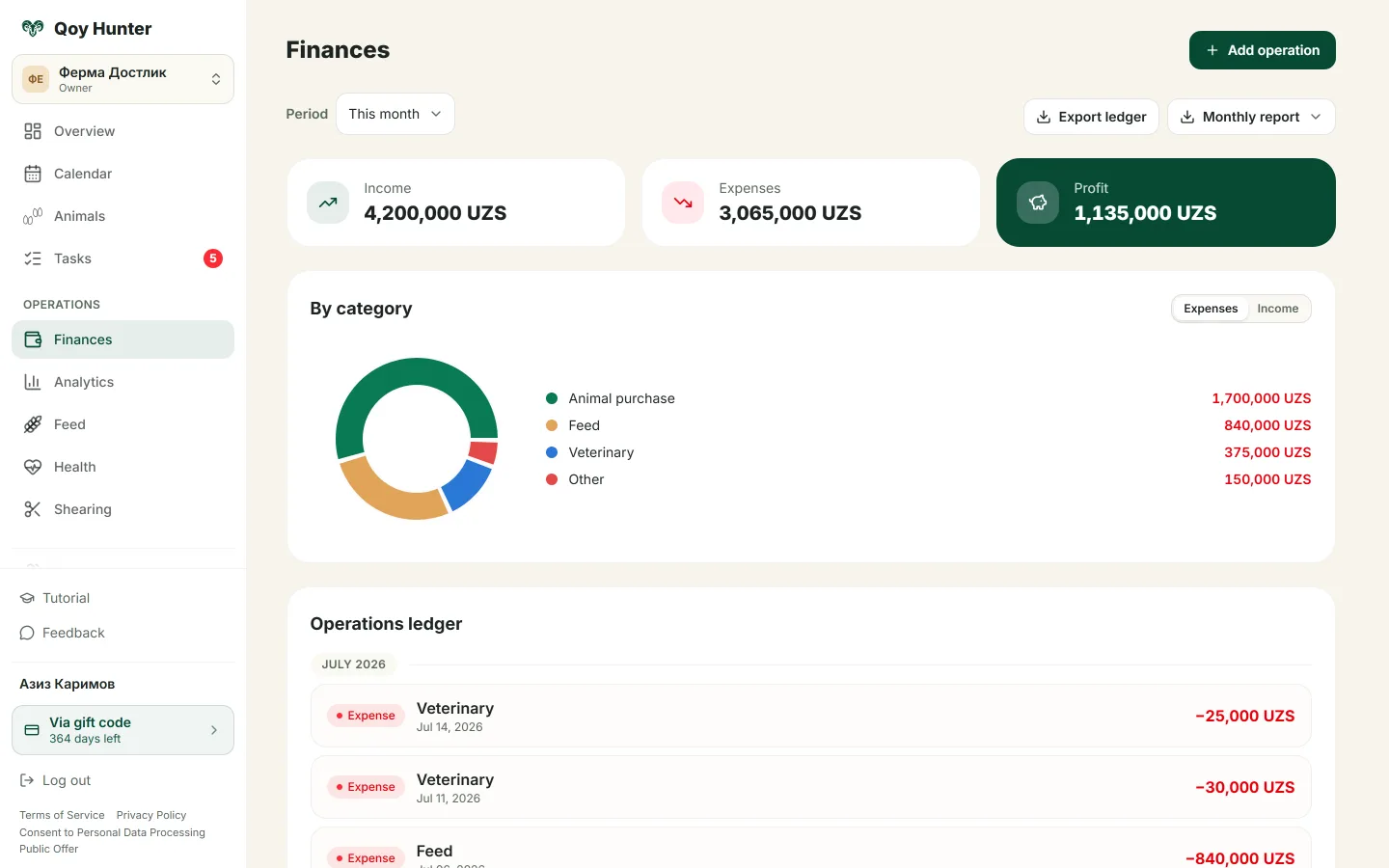
Income, expenses and profit for the month, broken down by category.
How to manage finances
The Finances screen
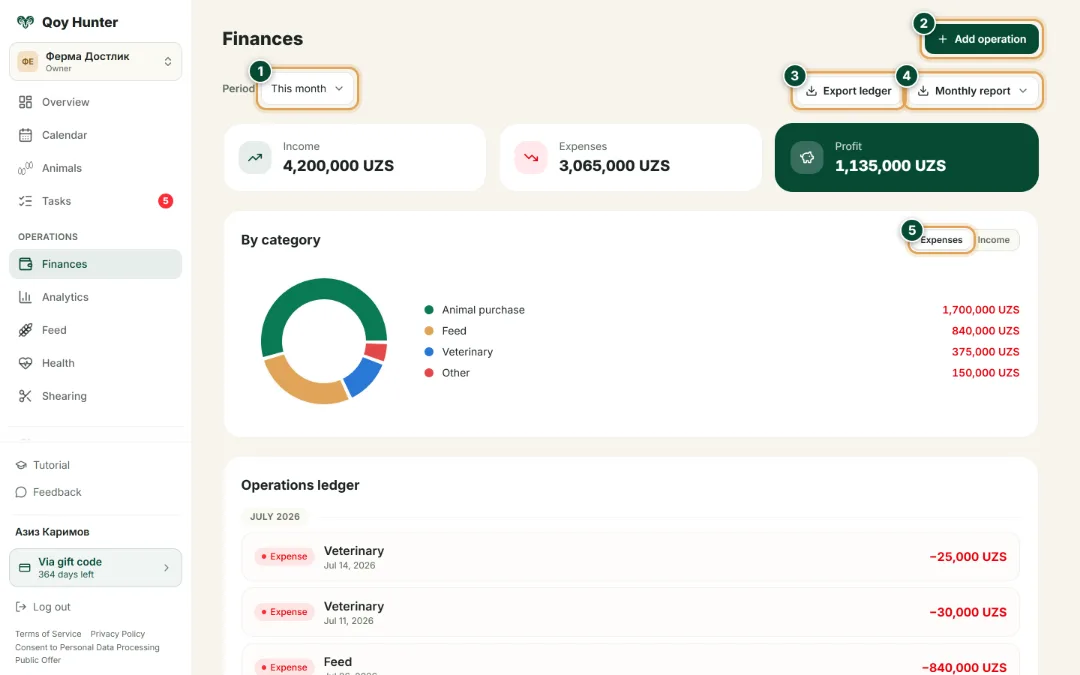
The farm's income, expenses and profit for any month — broken down by category.
- 1
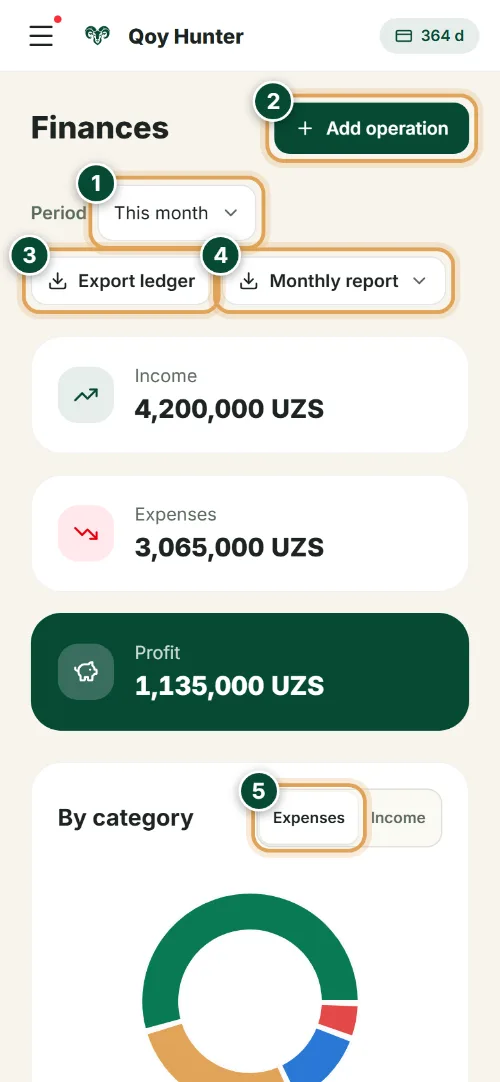
Pick a month or period — the flock's income, expenses and profit appear at the top right away.
- 2
Tap “Add operation” to record farm income or an expense by hand.
- 3
“Export ledger” downloads every entry to a file — for bookkeeping and your farm records.
- 4
“Monthly report” builds a ready summary of income, expenses and profit for the period.
- 5
Switch the category breakdown between expenses and income — feed, medicines, sales.
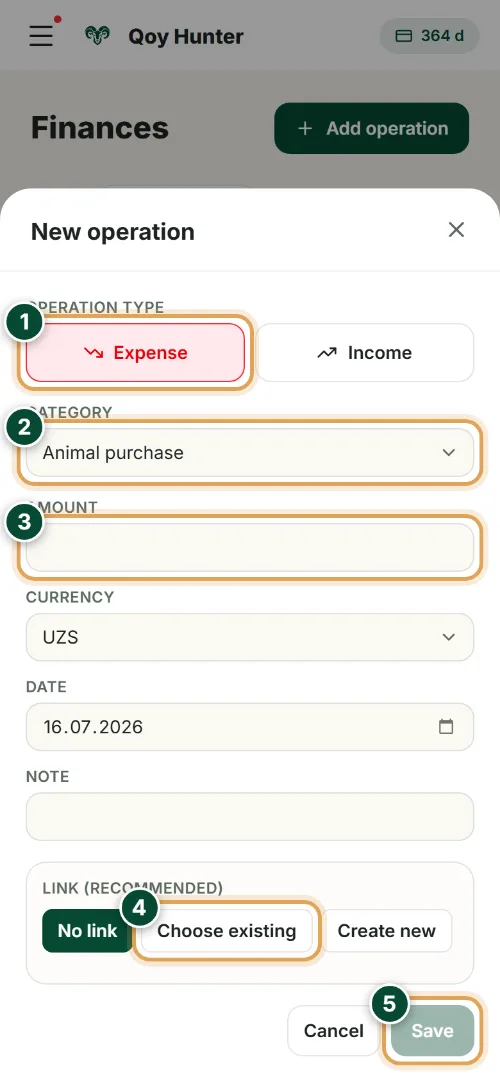
New operation
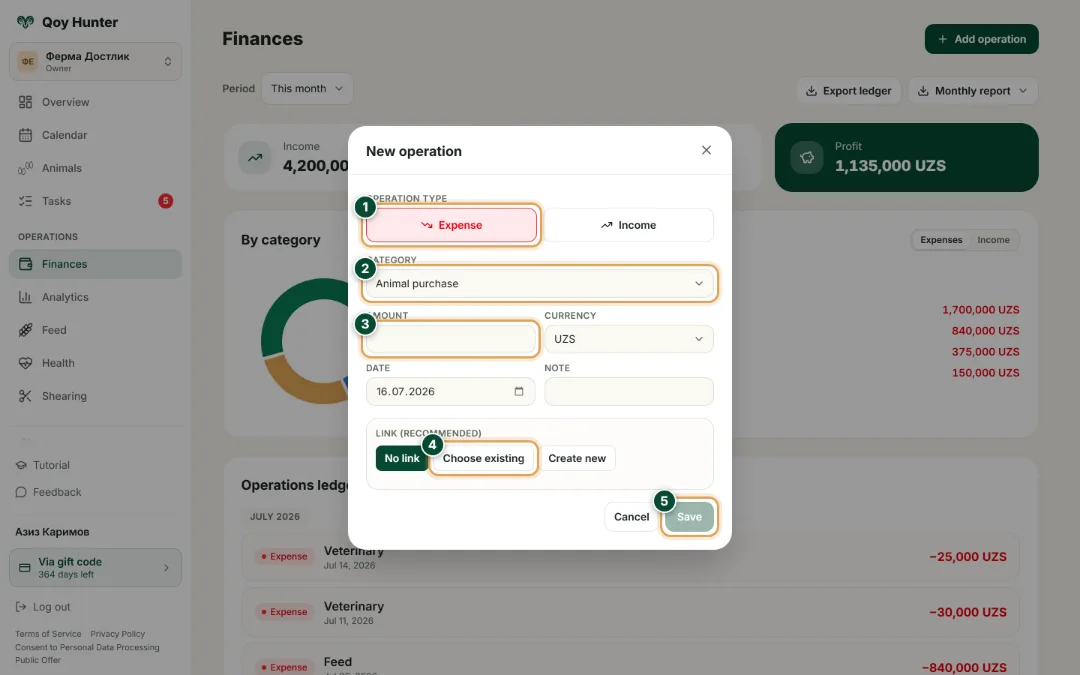
Enter the type, category and amount — and link the operation to an animal or feed.
- 1
Choose the operation type — expense or income. Categories and the amount's sign depend on it.
- 2
Set the category: feed, medicines, vet care, buying animals, shearing or a sale.
- 3
Enter the amount and currency — the entry lands in the farm's income or expenses at once.
- 4
Link the entry to an animal or feed — then you can see the cost and profit for each ram.
- 5
Tap “Save” — the entry joins the ledger and updates the farm's profit.
The numbers mark the key elements on the screen
It's clear how much you earned and spent.
Many entries are filled in automatically.
You can see the profit on every ram.
Expenses are sorted by category.
More features
All featuresBring order to your farm
Put your flock into QoyHunter — records, health, finances and reminders in one app.