Team and access
Work as a whole family or crew on one farm. Everyone has their own role and their own rights: the owner sees everything, a worker sees only what they need. You can run several farms and switch between them.
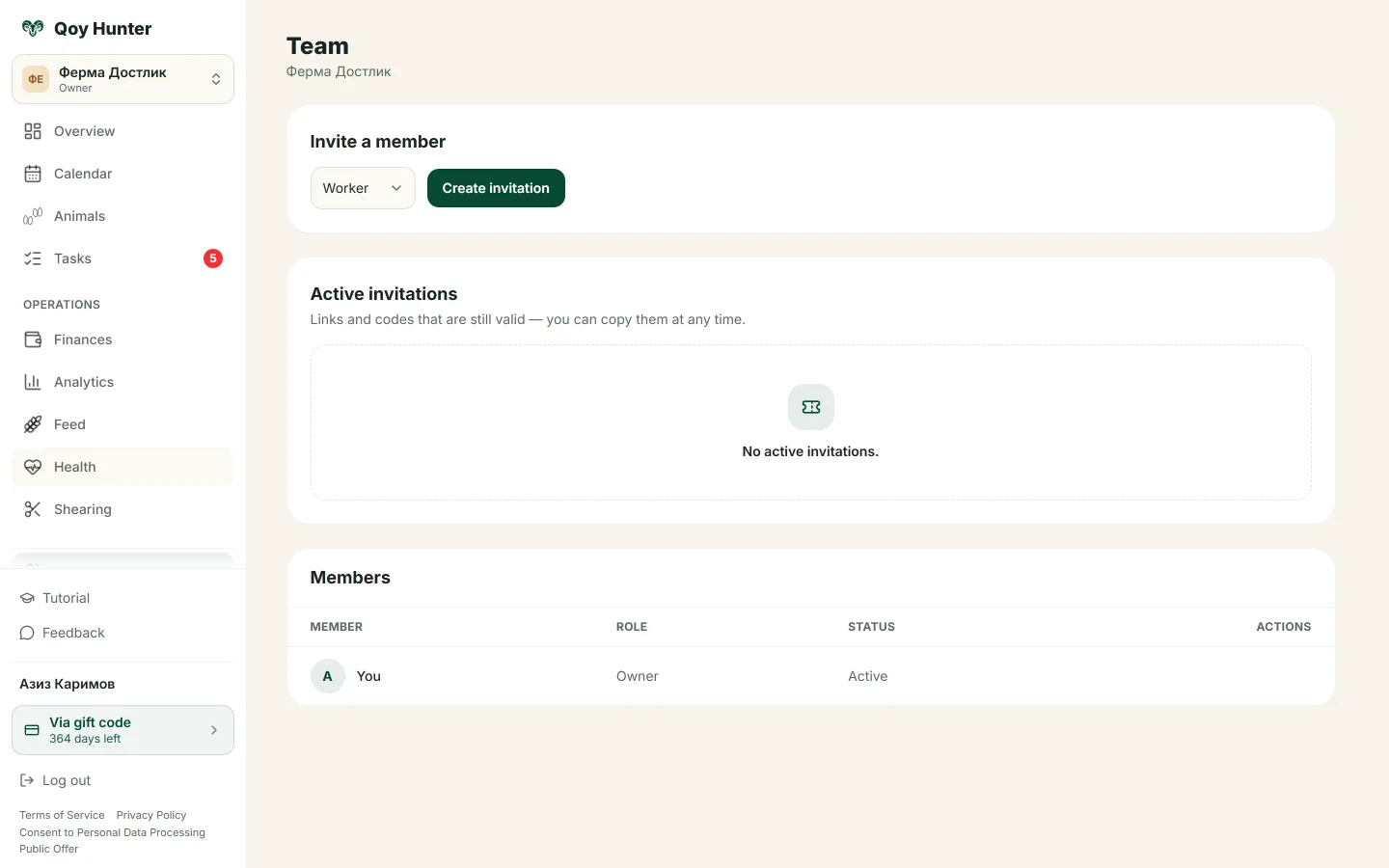
The farm's members with their roles and access rights.
How to build your team
The Team screen
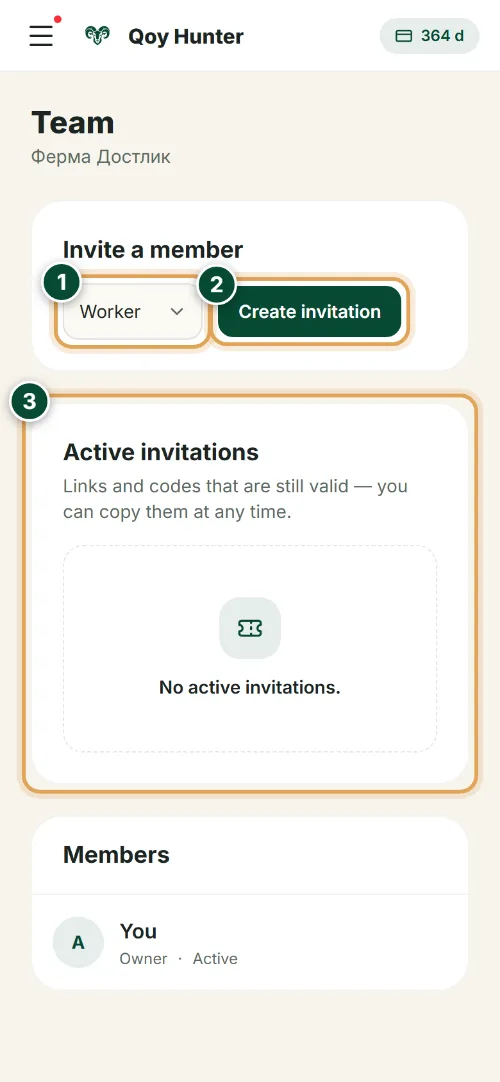
Bring your whole crew into one farm: invite workers and give each their own role and access rights.
- 1
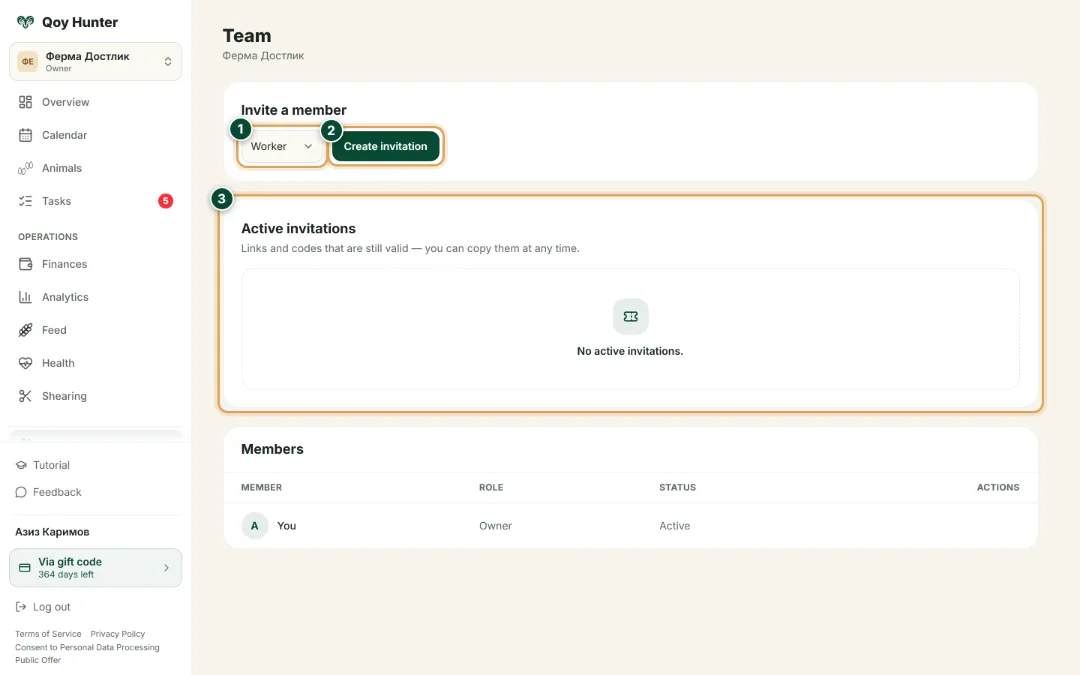
Pick the new worker's role — manager, worker or viewer. Each role has its own set of rights in the farm CRM.
- 2
Tap “Create invitation” — QoyHunter issues a link and a short code. Send them to the worker via Telegram or SMS.
- 3
Every invitation you issue is collected here: copy the link or code again, or revoke access at any time.
Farm members
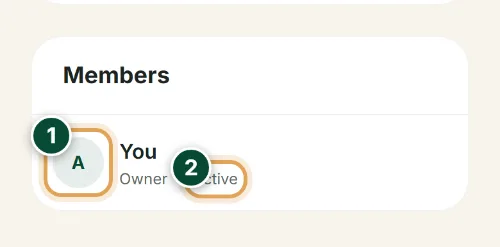
Your whole farm roster with roles and access statuses — the entire farm team under control.

- 1
Your whole farm roster in one list. Each member on their own row — name and avatar, with their role and access alongside.
- 2
The member's role and access status: the owner sees the whole farm, a worker only the sections they need, a viewer looks without editing.
The numbers mark the key elements on the screen
The whole crew works in one system.
Everyone has only their own rights.
It's easy to add or remove a worker.
Several farms in one account.
More features
All featuresBring order to your farm
Put your flock into QoyHunter — records, health, finances and reminders in one app.