Feed and feeding
Keep your feed on record: how much is in the store, what to feed and when. The system reminds you when feed is running out, and its cost goes straight into the farm's expenses.
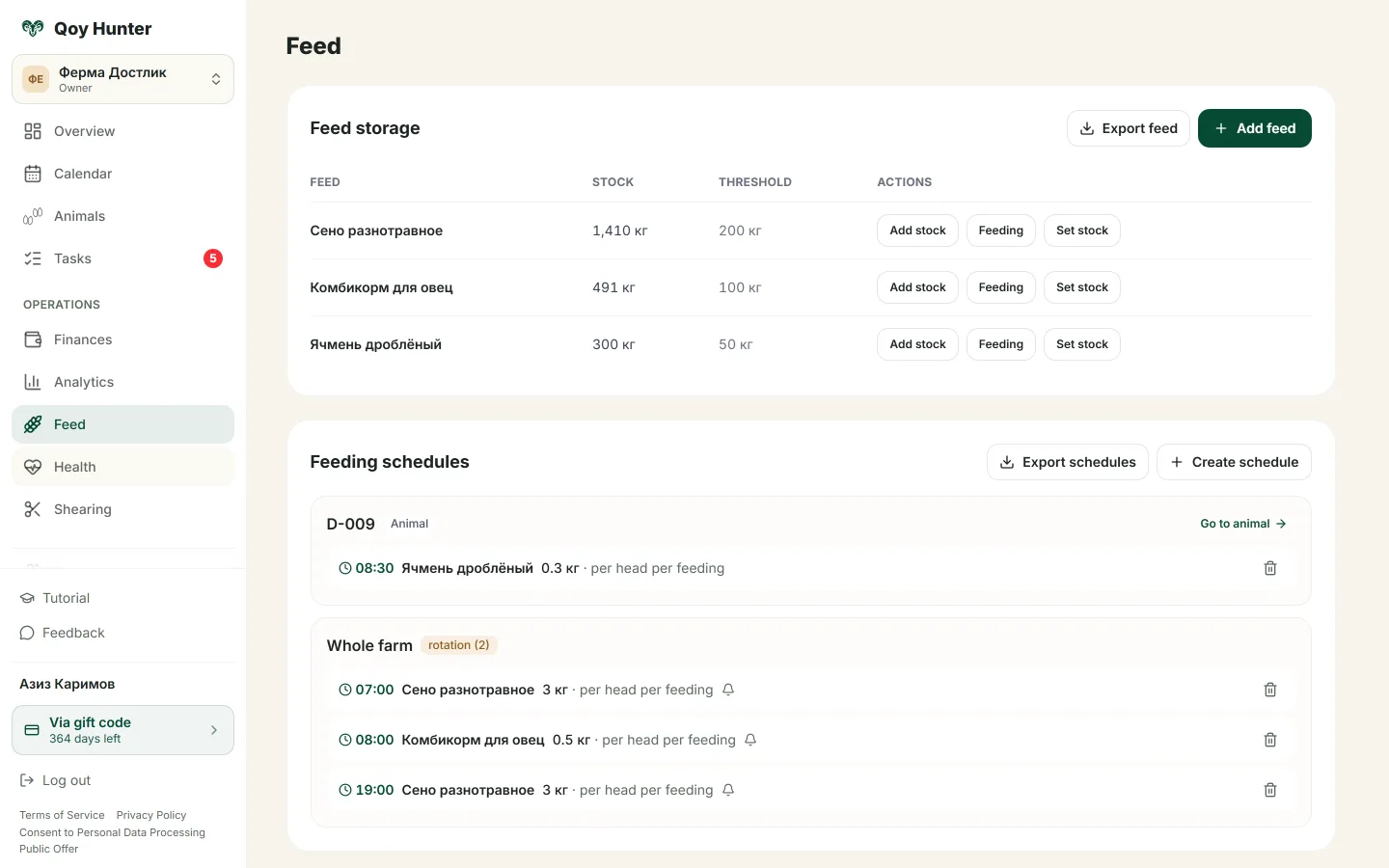
A feed list with stock levels and a feeding schedule.
How to manage feed
The Feed screen
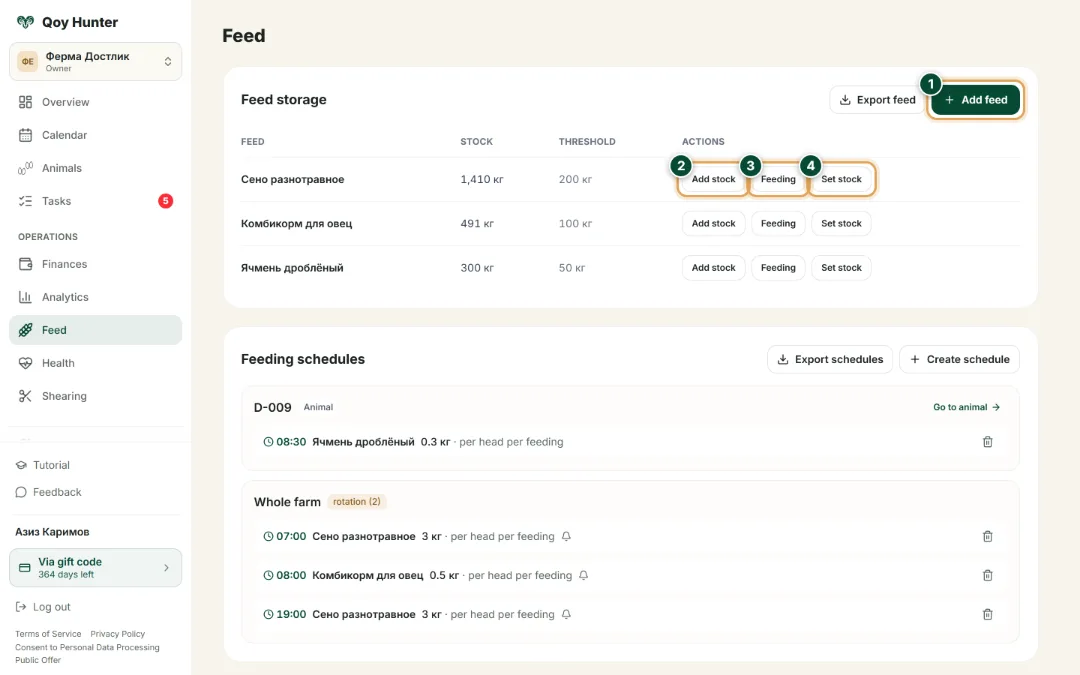
Feed stock with balances and thresholds plus the feeding schedule — all your feed records on one screen.
- 1
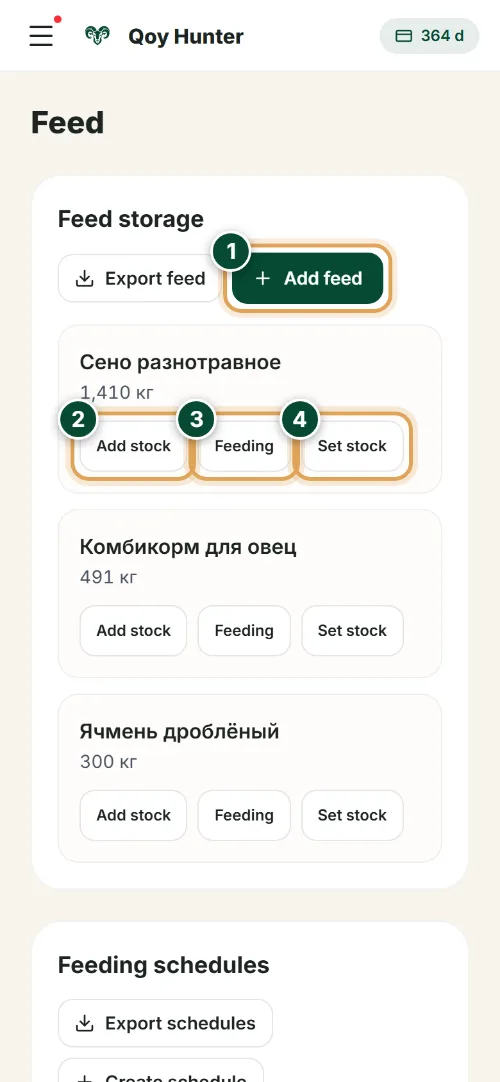
Tap “Add feed” to register a feed in your stock list — with its unit and low-stock threshold.
- 2
“Add stock” — book a feed purchase: the balance grows and its cost goes straight into farm expenses.
- 3
“Feeding” — log a feeding and the amount is written off your stock automatically.
- 4
“Set stock” — adjust the actual balance after a stock count so your feed records stay accurate.
New feed
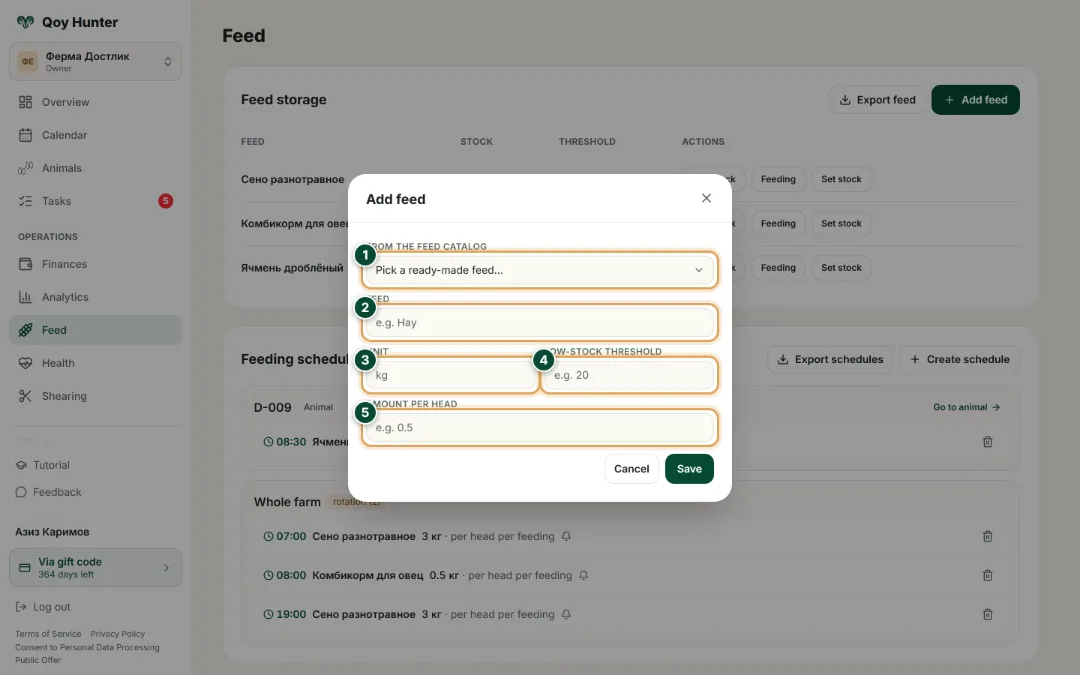
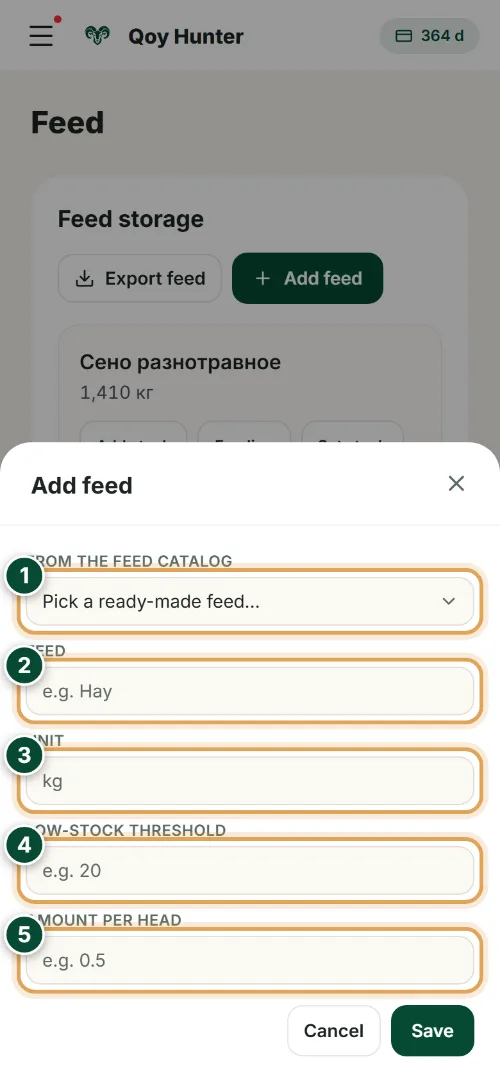
Describe a feed once and it joins your stock with its balance, threshold and per-head norm.
- 1
Pick a ready-made feed from the reference — the fields fill in for you.
- 2
Or type your own feed name — for example “Alfalfa hay”.
- 3
Set the unit of measure — kilograms, bags or bales.
- 4
Set the low-stock threshold — when feed drops below it, you get a restock reminder.
- 5
Enter the per-head norm per feeding — the app works out the daily consumption for the whole flock.
The numbers mark the key elements on the screen
You won't run out of feed unexpectedly.
You can see how much of each feed is left in the store.
Feed costs are counted for you.
Feeding runs on schedule.
More features
All featuresBring order to your farm
Put your flock into QoyHunter — records, health, finances and reminders in one app.