QR tags and animal passport
Every animal has its own QR code on its tag. When your worker scans it, they land on the animal's card in the system; when a buyer scans it, they see a public passport with the animal's photo and details. You can print tags for your whole flock at once.
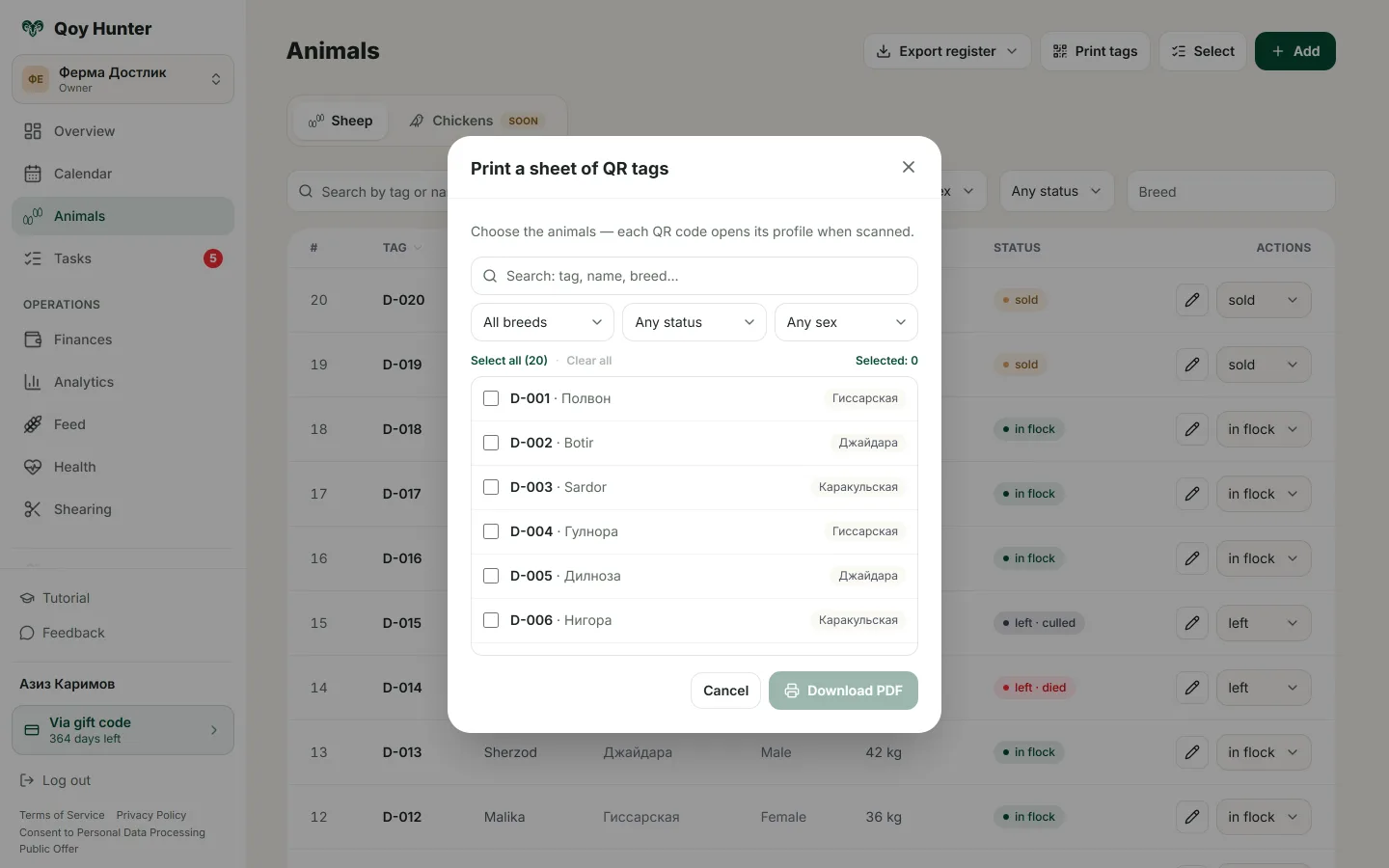
A sheet of QR tags to print and a public animal passport for buyers.
How to use the tags
Print a sheet of QR tags
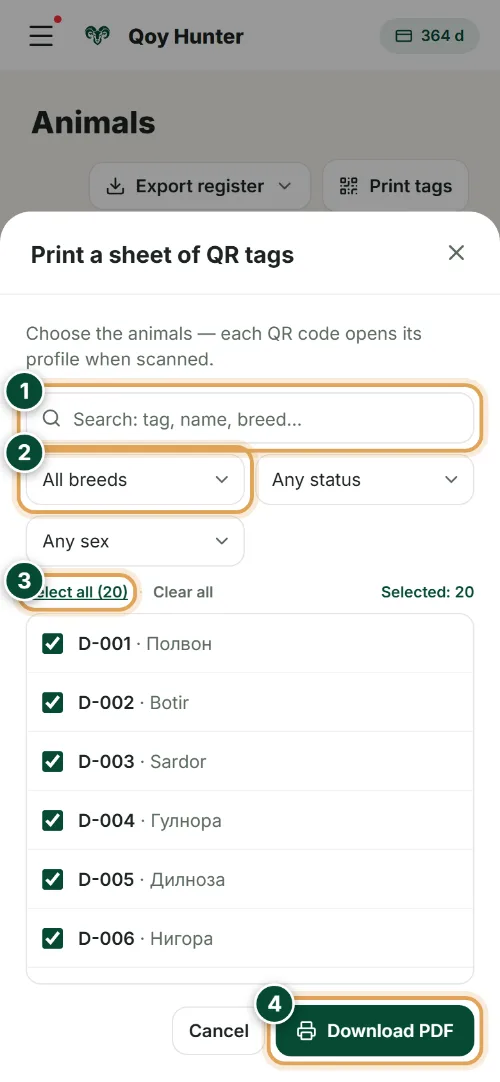
The Print tags dialog on the Animals screen: pick your stock and get a print-ready PDF sheet with a QR code for every animal.
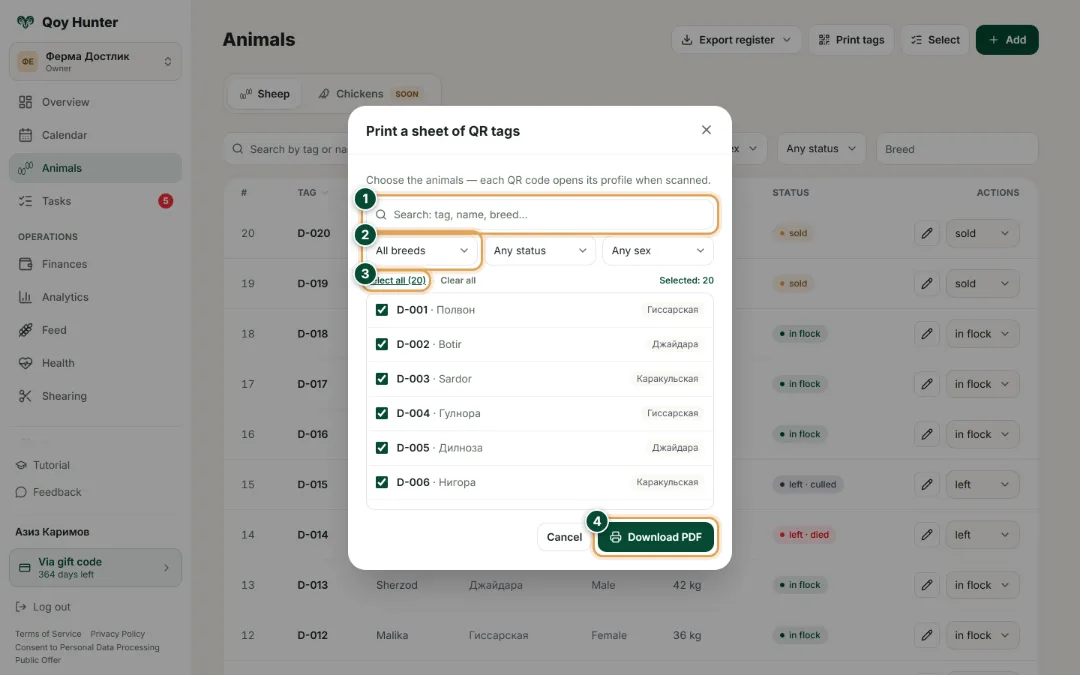
- 1
Find the animals you need by tag number, name or breed.
- 2
Filter the flock by breed, status and sex — for example, only stock still in the herd.
- 3
Tap “Select all” to print tags for the whole flock at once, or tick individual animals.
- 4
Download the PDF sheet and print it — each tag's QR opens the animal's card in the record system.
The public animal passport
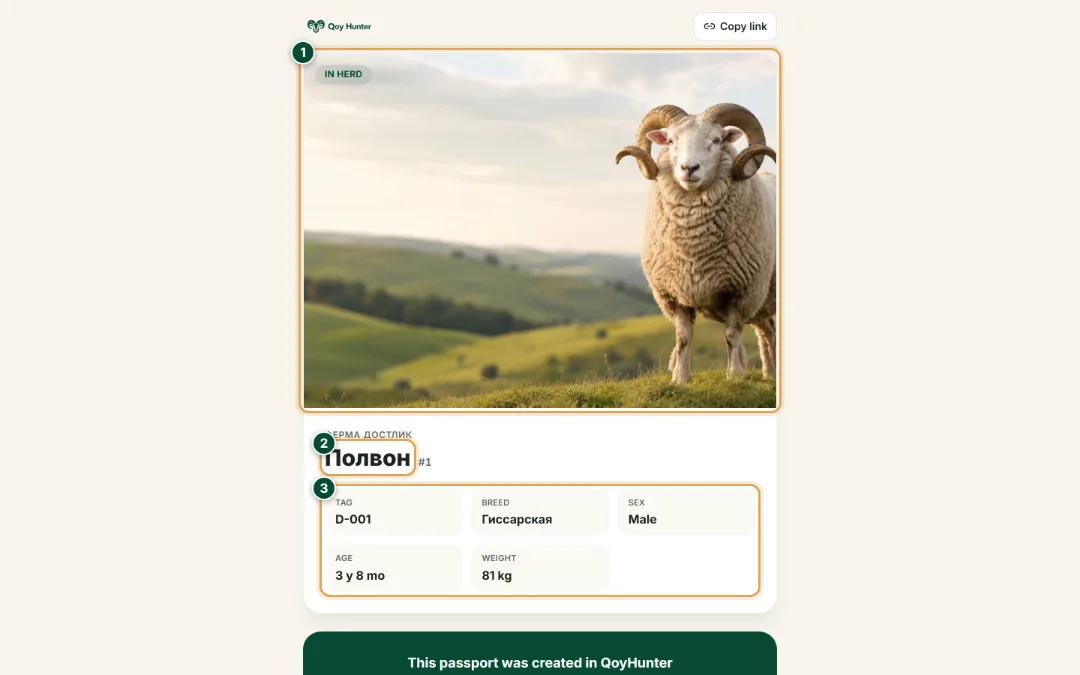
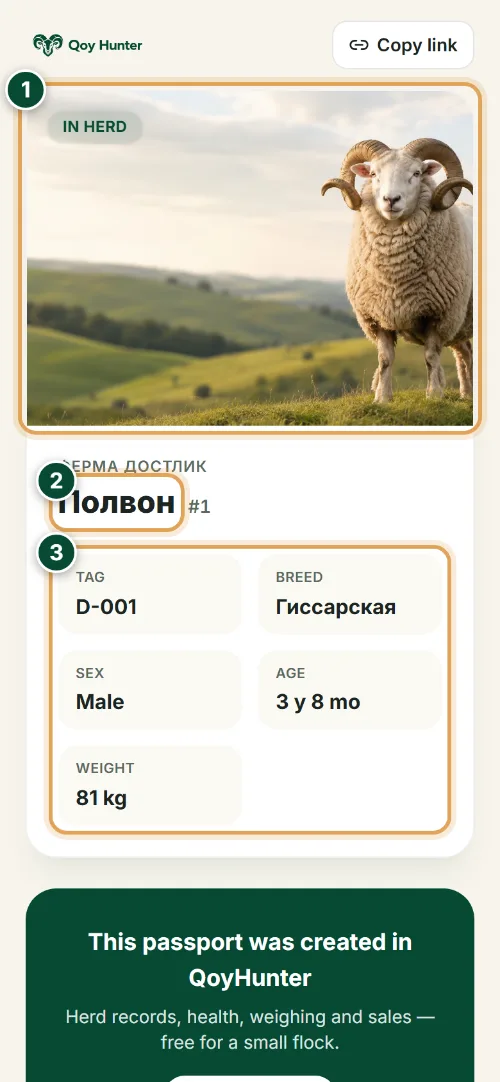
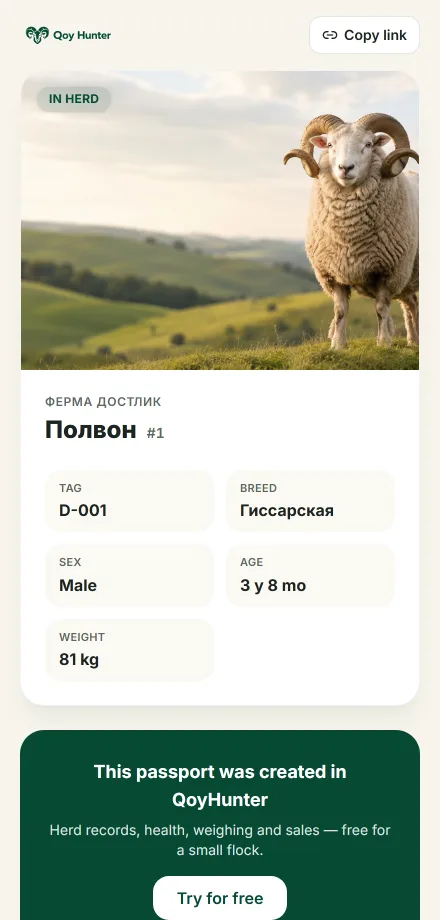
What a buyer sees after scanning the QR on the tag: a public passport page with no login — the animal's photo, breed, sex, age and weight, with a QoyHunter mark below.
- 1
A large photo of the animal — the buyer sees the ram at a glance.
- 2
The animal's name and the farm's name — it's clear whose stock this is.
- 3
The key facts a buyer wants: tag, breed, sex, age and weight — all from one scan, no calls.
The numbers mark the key elements on the screen
Every animal is easy to identify by its code.
Tags print for the whole flock at once.
It's easy to show a buyer a ram's passport.
An animal's details are always a scan away.
More features
All featuresBring order to your farm
Put your flock into QoyHunter — records, health, finances and reminders in one app.