Shearing
Plan shearing by interval — once every few months — and keep a log: when, which animals, who did it and for how much. A reminder comes in Telegram, and the cost goes into your expenses.
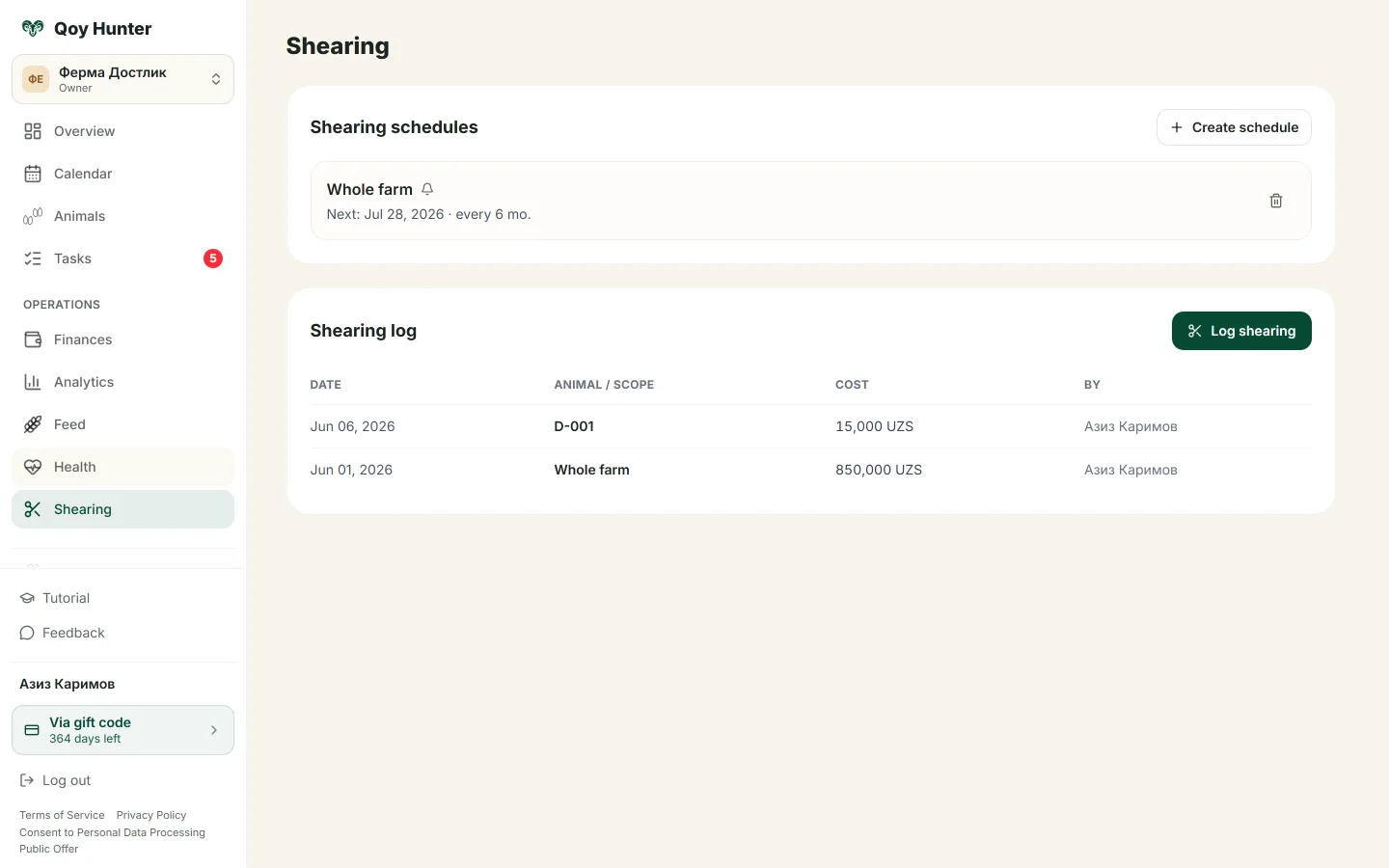
A shearing schedule with the next date and a work log.
How to manage shearing
The Shearing screen
A shearing schedule and work log for your whole flock — when to shear, who was shorn and what it cost.
- 1
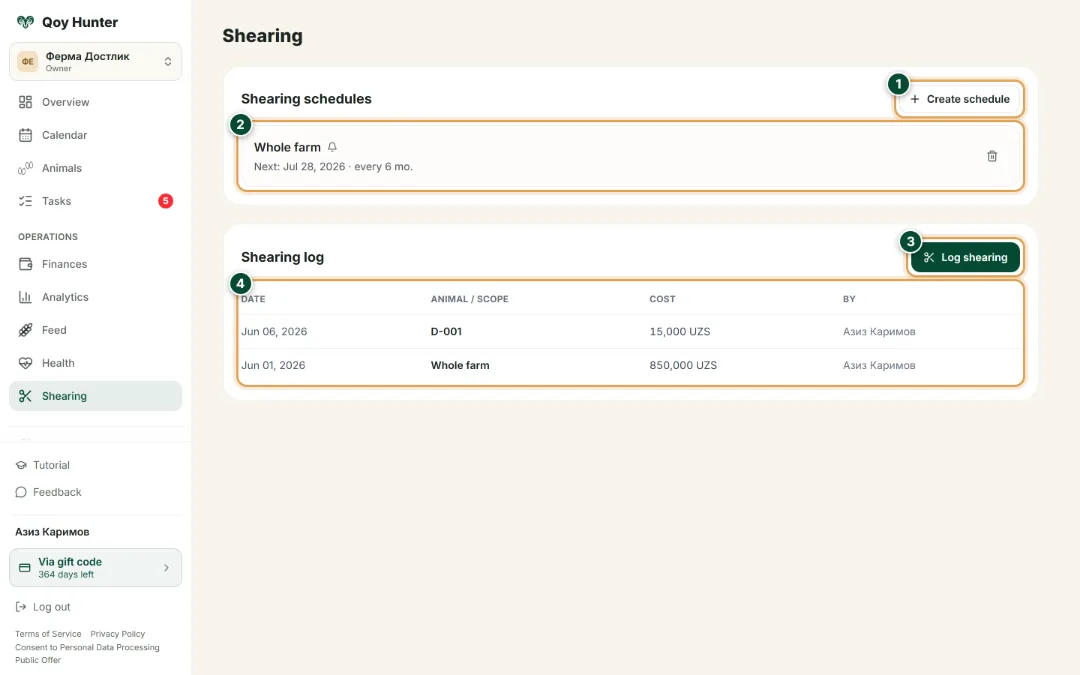
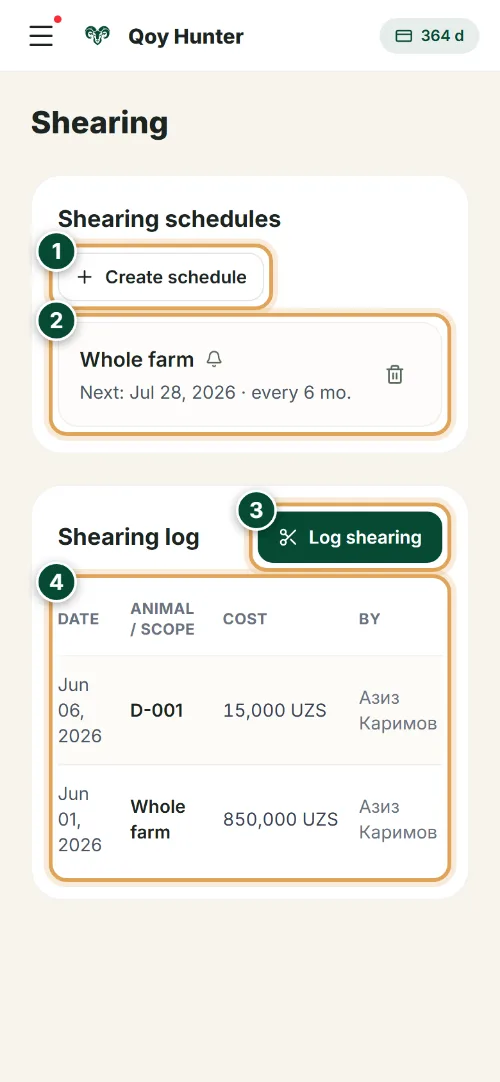
“Create schedule” — set the shearing interval (say, every 6 months); the system works out the next date and reminds you in Telegram.
- 2
The schedule card shows the next shearing date and interval; the bell means the reminder is on.
- 3
“Log shearing” — after the job, add a record to the log; the cost goes straight into farm expenses.
- 4
The log keeps the shearing history for the whole flock: date, scope, cost and who did it.
Shearing record
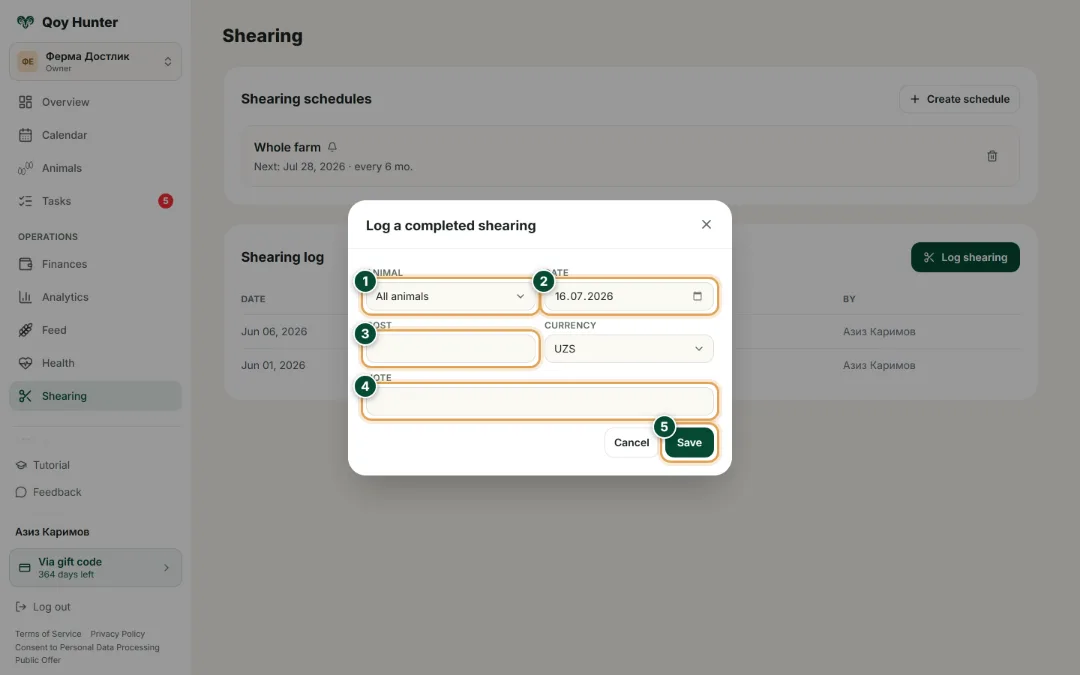
Fill in the details of a completed shearing — it lands in the log and the cost is counted in your finances.
- 1
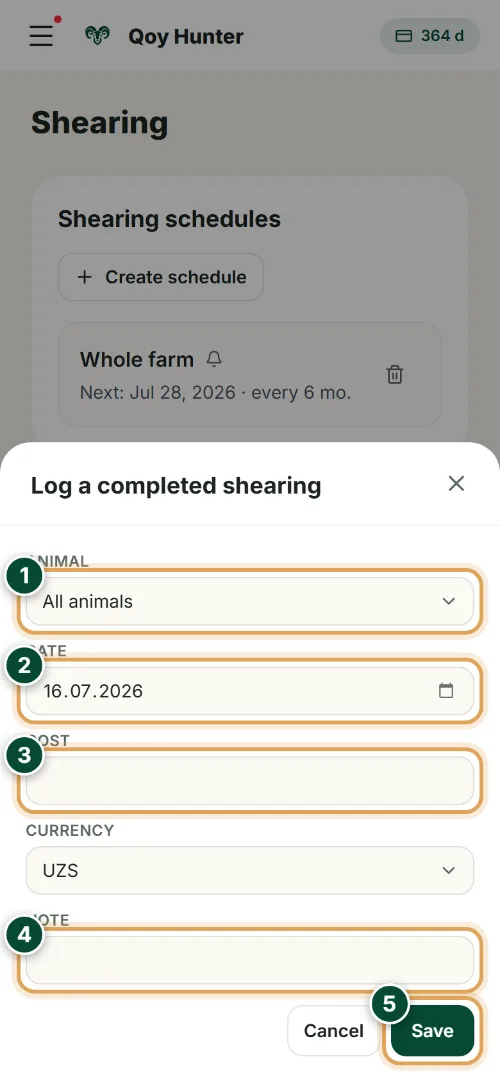
Pick the scope: a specific animal by tag, or “All animals” if you shore the whole flock.
- 2
Set the shearing date — the history builds on it and the next scheduled date is counted from it.
- 3
Enter the cost of the work — the amount is automatically added to farm expenses.
- 4
In the note, record who did the shearing, the wool yield or other details — they stay with the record.
- 5
Tap “Save” — the shearing appears in the log and the expense in your farm finances.
The numbers mark the key elements on the screen
You won't miss a shearing — a reminder will come.
You can see when and which animals were shorn.
Shearing costs are accounted for.
The shearing history is kept for the whole flock.
More features
All featuresBring order to your farm
Put your flock into QoyHunter — records, health, finances and reminders in one app.