Livestock records
Your whole flock in one table. You can see the tag, breed, sex, weight and status of every animal, and find the one you need in a couple of seconds. No more keeping your livestock in a notebook or in your head.
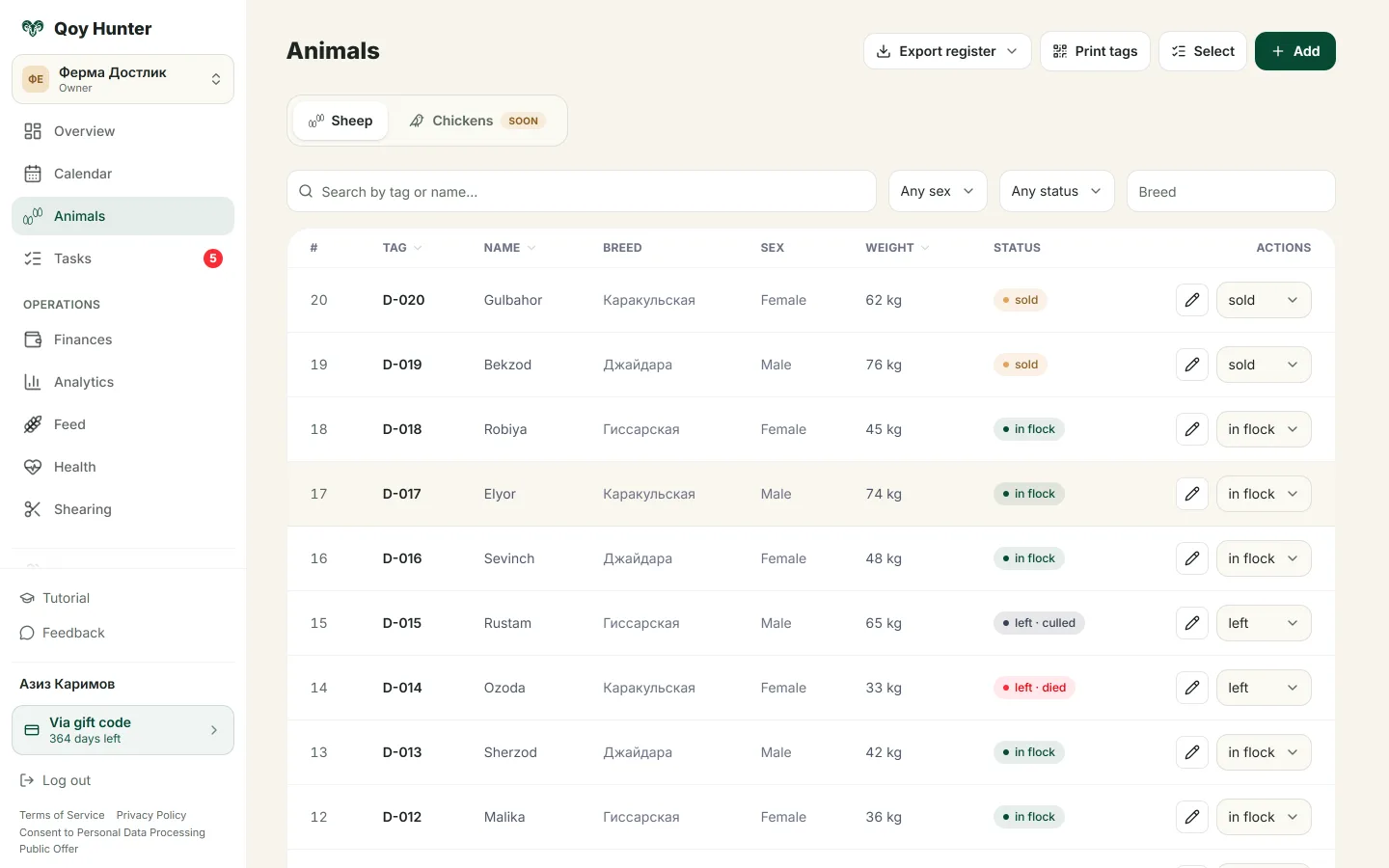
A list of your whole flock with the tag, weight and status of every animal.
How to keep records
The Animals screen
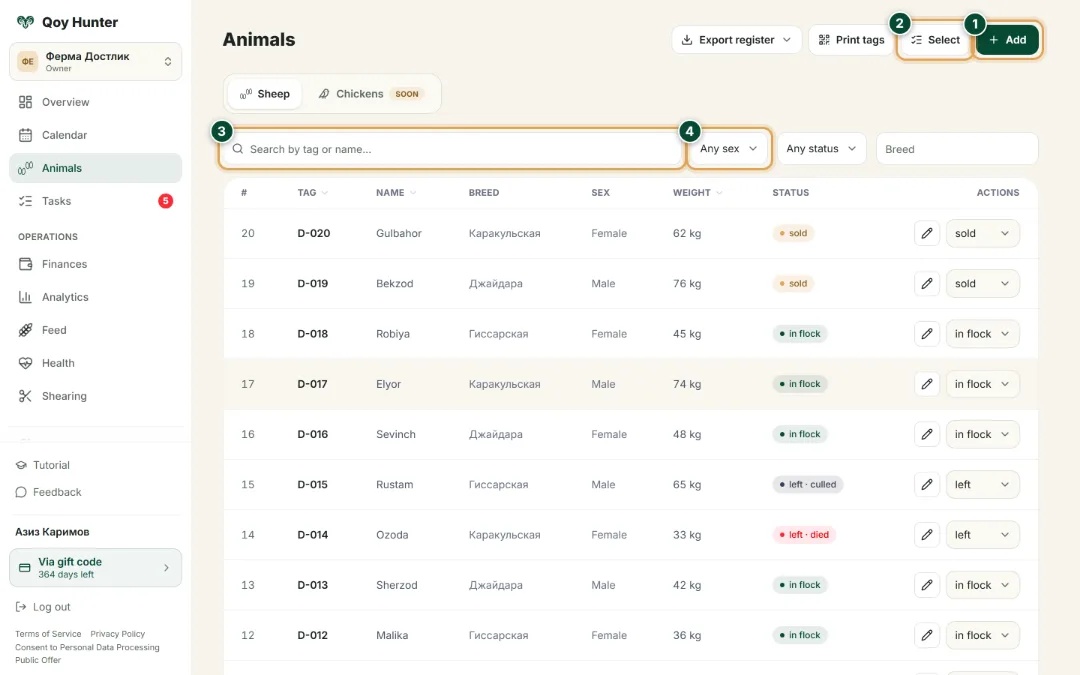
The main list of your whole flock — every animal's tag, weight and status at a glance.
- 1
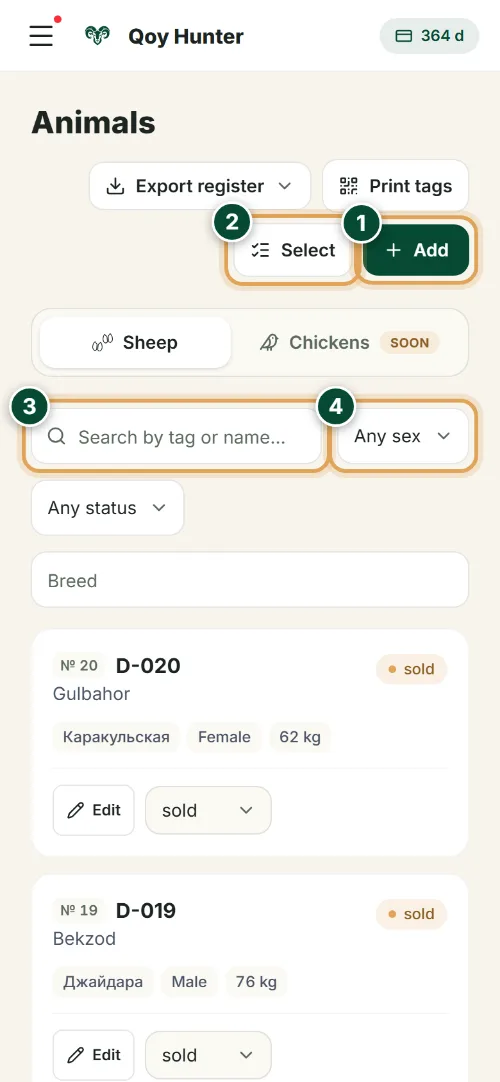
Tap “Add” to register a new animal and fill in its card.
- 2
“Select” — tick several animals at once to assign feed, medicine or a vet event in one go.
- 3
Quickly find an animal by its tag number or name.
- 4
Filter the flock by sex, status and breed — for example, only females in the herd.
New animal card
Fill in the basics and the animal joins your flock. Only the tag is required.
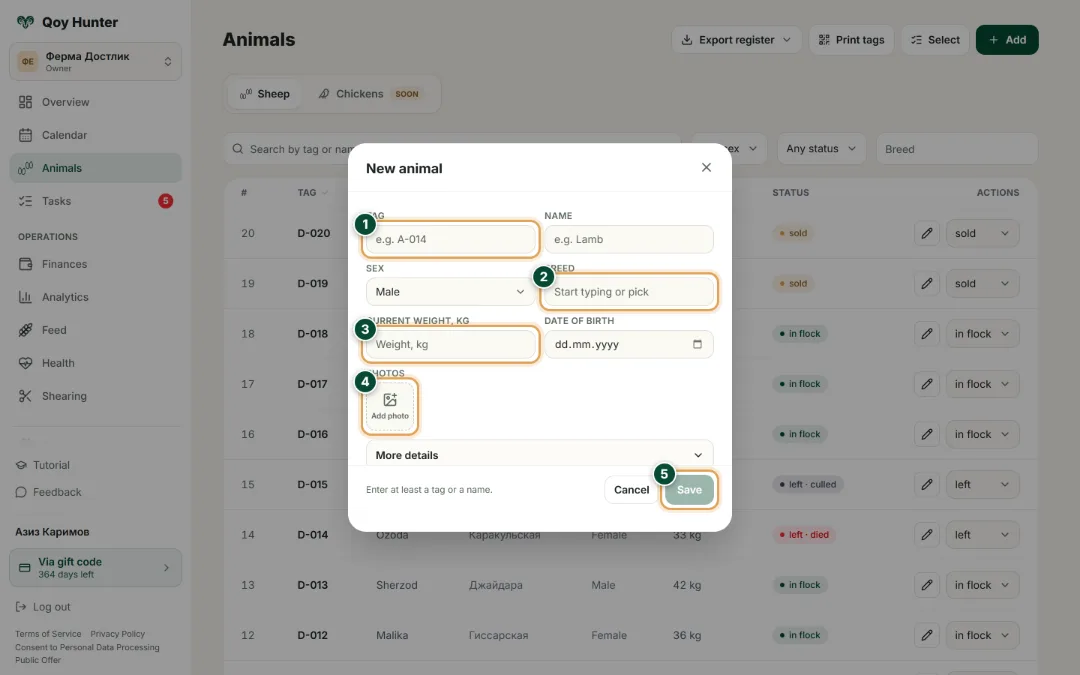
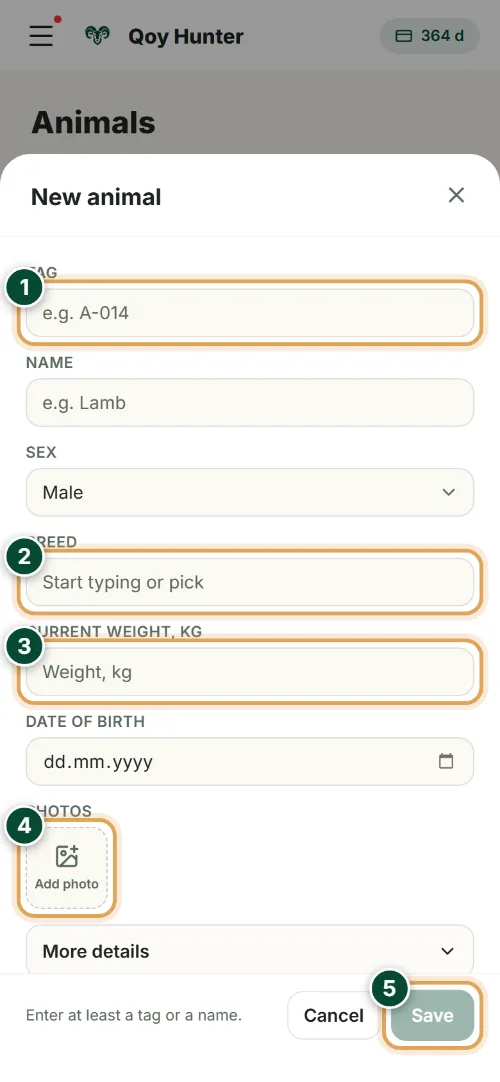
- 1
The tag is the animal's unique number — record-keeping starts here.
- 2
Pick a breed from the list or type your own.
- 3
Enter the current weight — it becomes the first point in the weighing history.
- 4
Attach a photo so you can recognise the animal in the list.
- 5
Tap “Save” — the animal appears in your flock right away.
The numbers mark the key elements on the screen
Your whole flock is under control — nothing gets lost.
You find the animal you need in seconds.
Bulk actions save time with a large flock.
You always see who's in the flock, who's sold and who's left it.
More features
All featuresBring order to your farm
Put your flock into QoyHunter — records, health, finances and reminders in one app.