Notifications and settings
You decide what to be alerted about: animal care, tasks, your team or your subscription. Notifications come to Telegram. This is also where you set your profile, the interface language and how you sign in.
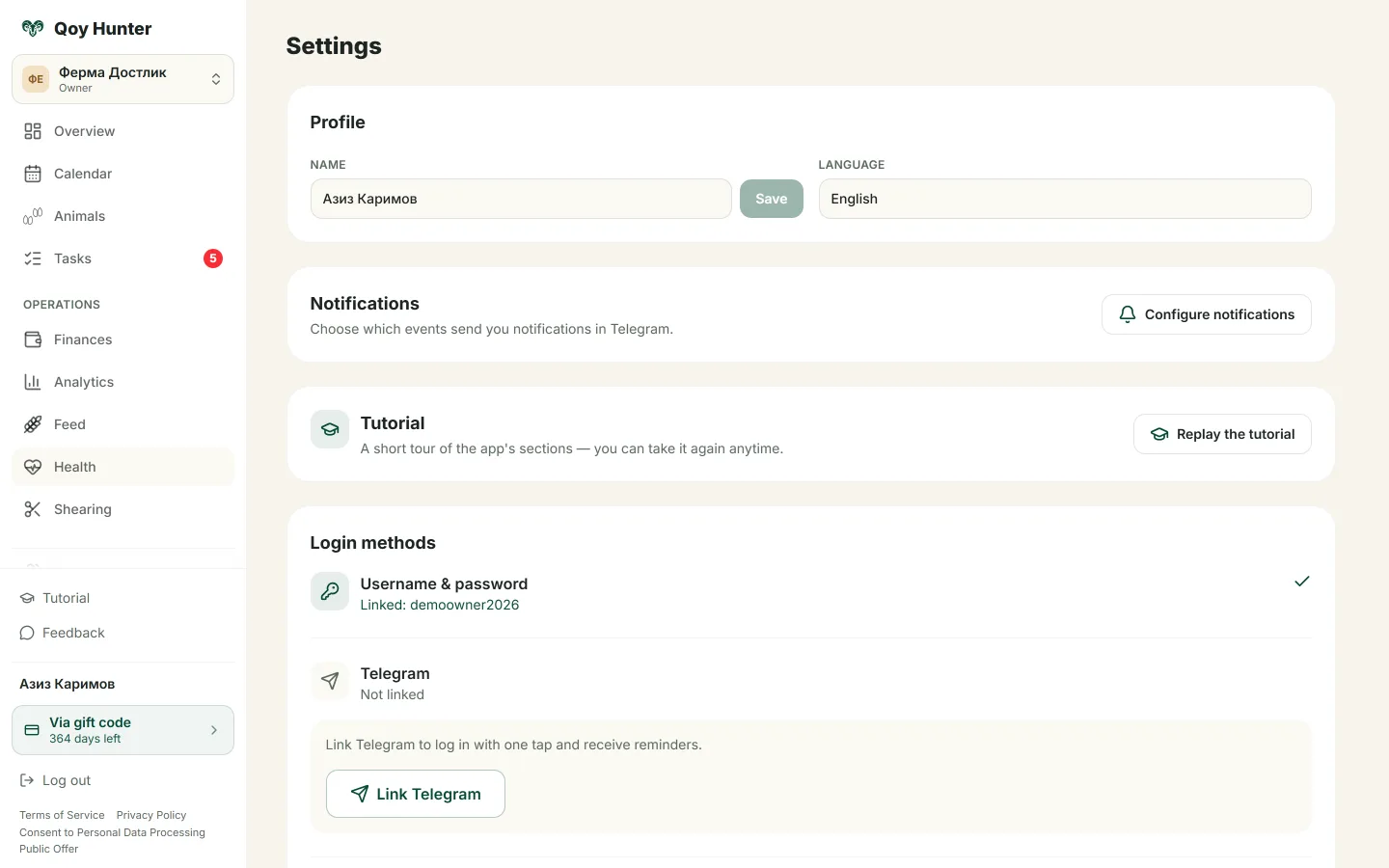
Profile, interface language and sign-in options.
How to set it up
The Settings screen
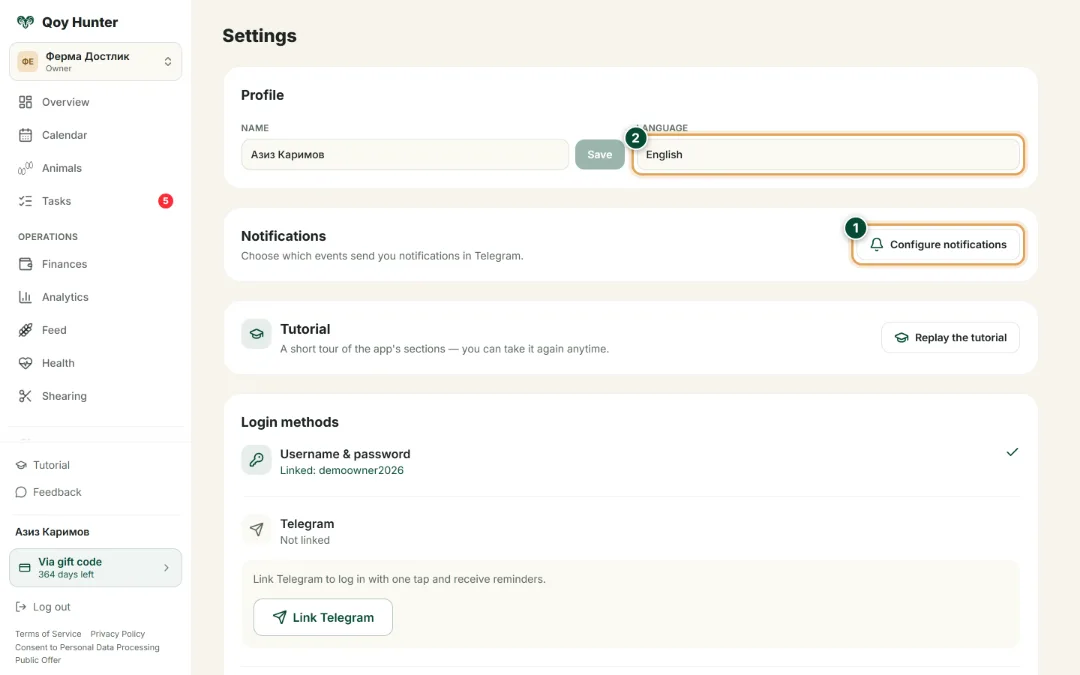
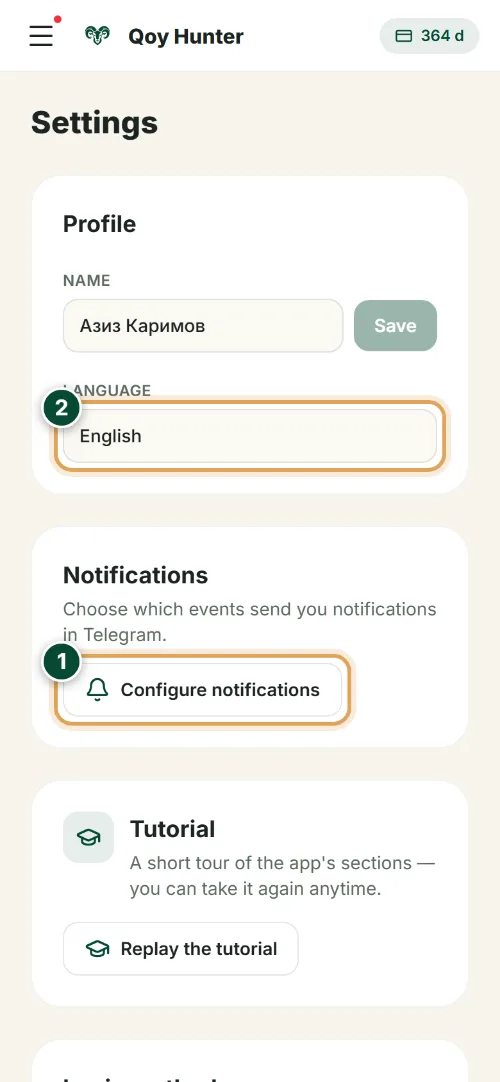
This is where your farm notifications live: open the fine-tuning panel and pick the language. Reminders arrive in Telegram and in the app.
- 1
Tap “Configure notifications” — a panel opens where you switch on the reminders you need: tasks, vet events, feed and subscription.
- 2
Choose the interface and notification language — Russian, Uzbek or English. Your whole farm gets alerts in a language it understands.
Notification settings
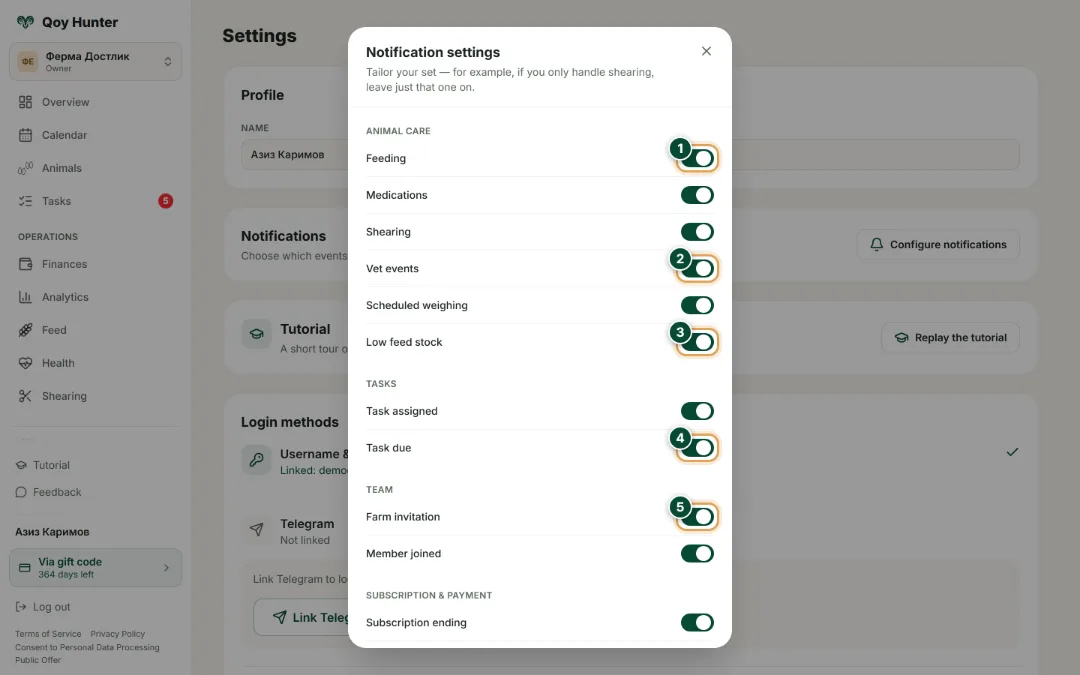
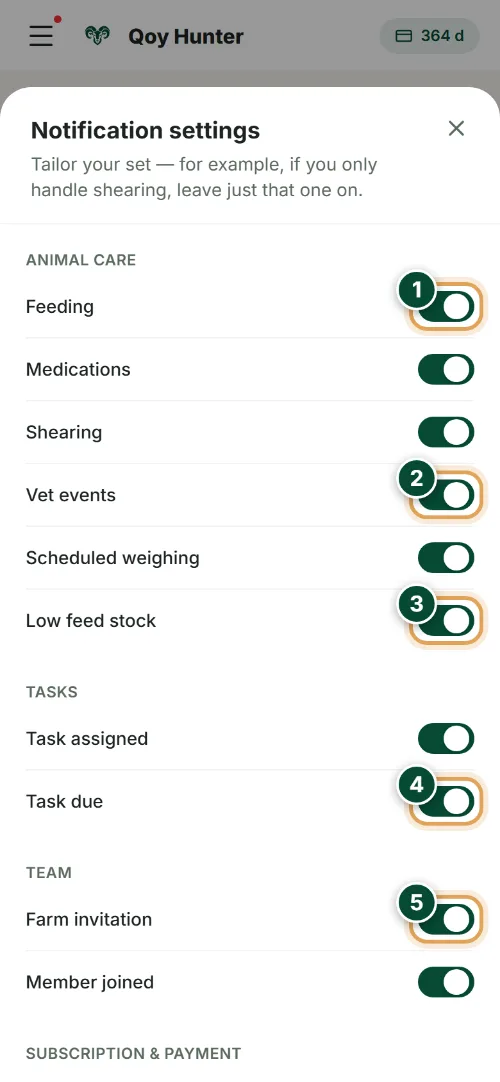
Toggles grouped by event type: animal care, tasks, team and subscription. Switch on only what you want to know about — the rest stays quiet.
- 1
The “Feeding” toggle reminds you to feed the flock on time so no feeding of the herd is missed.
- 2
“Vet events” — alerts about vet treatments: vaccinations and herd treatments always on schedule.
- 3
“Low feed stock” warns you when feed is running out. Restock the store in advance.
- 4
“Task due” reminds you of the deadline so farm chores don't get put off.
- 5
“Farm invitation” — team notifications: new invites and members are always in view.
The numbers mark the key elements on the screen
Only the notifications you want come through.
The interface is in a language you understand.
A convenient sign-in option to choose from.
Your account is protected.
More features
All featuresBring order to your farm
Put your flock into QoyHunter — records, health, finances and reminders in one app.