Tasks and calendar
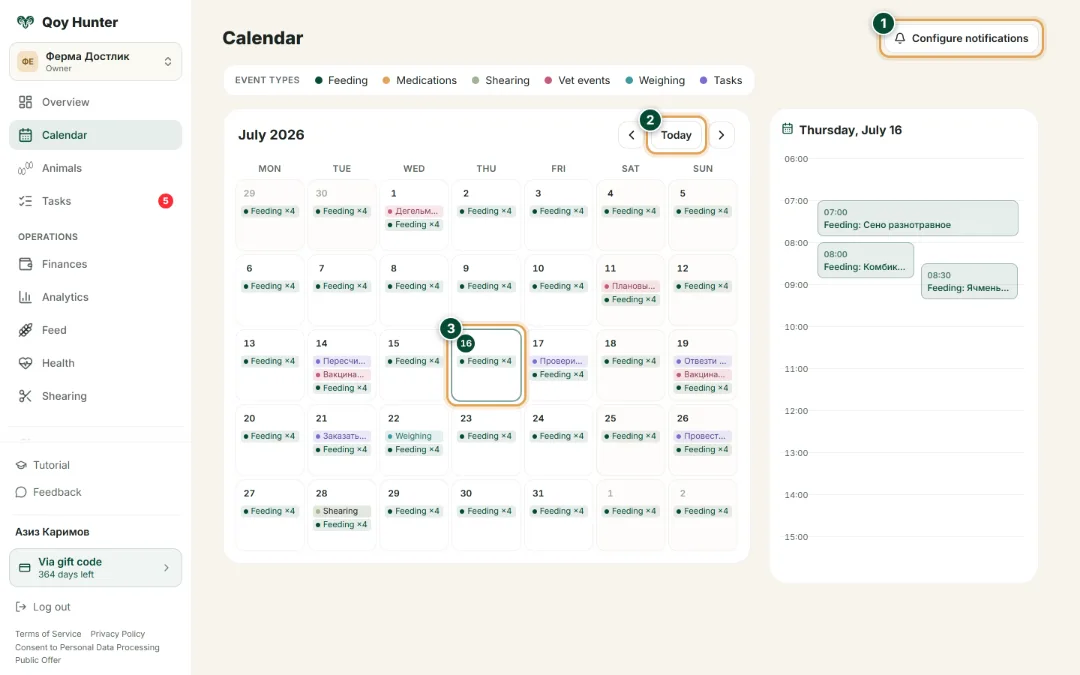
Hand out tasks to your workers, set due dates and keep track of their status. A monthly calendar brings every farm job together in one place — from feeding to shearing. Nothing gets forgotten.
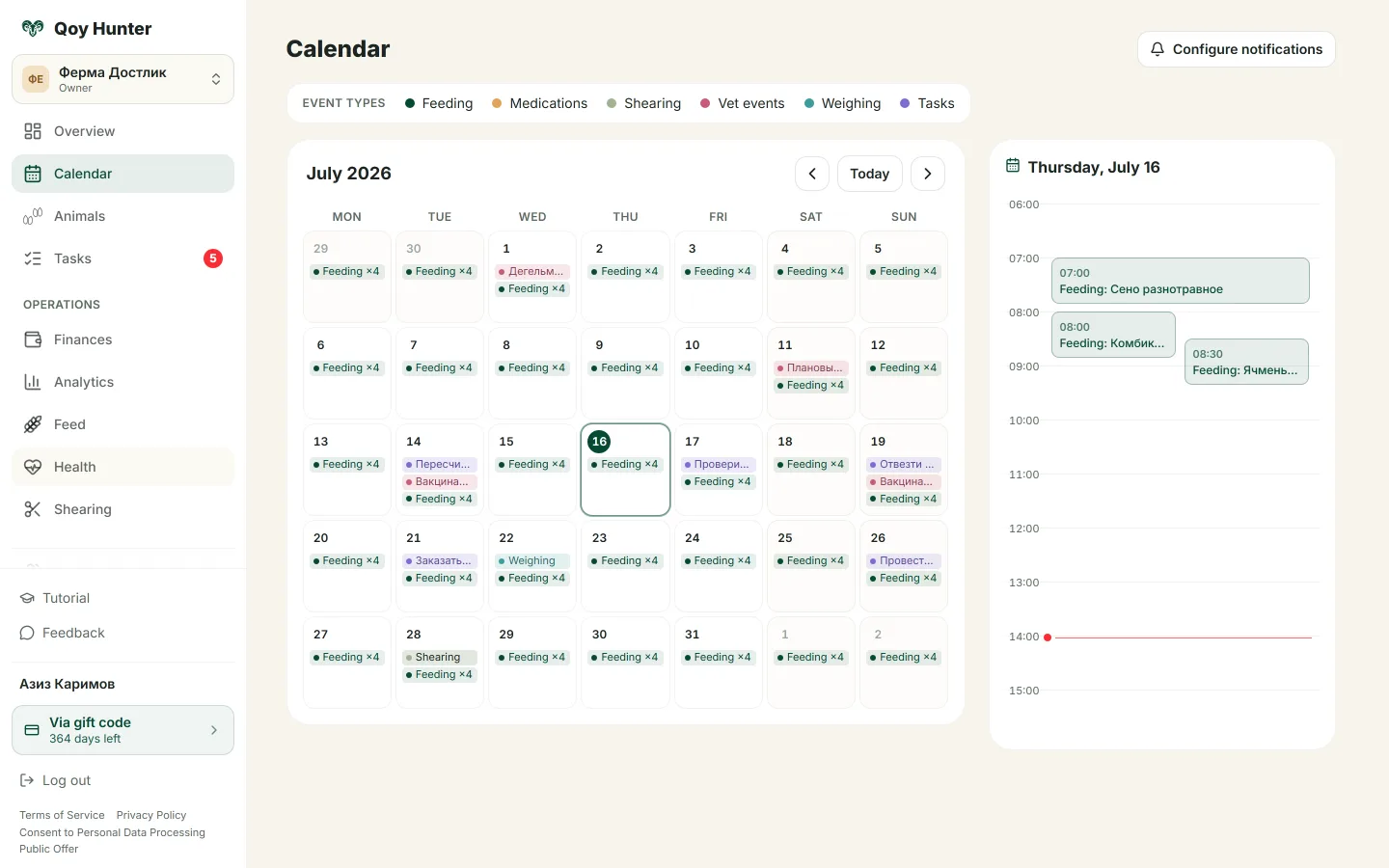
A monthly calendar with tasks and events day by day.
How to work with tasks
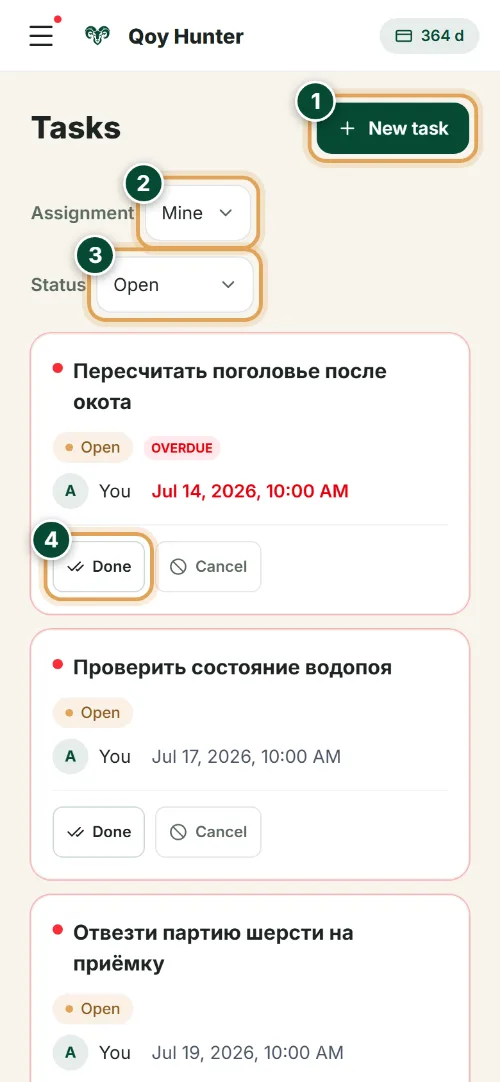
The Tasks screen
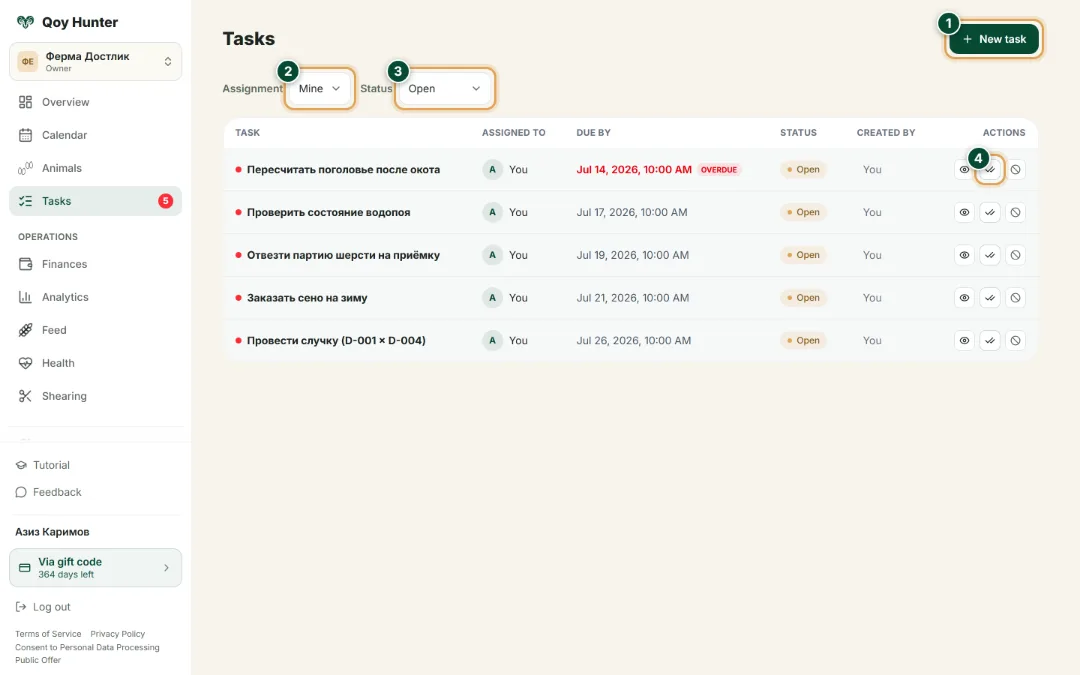
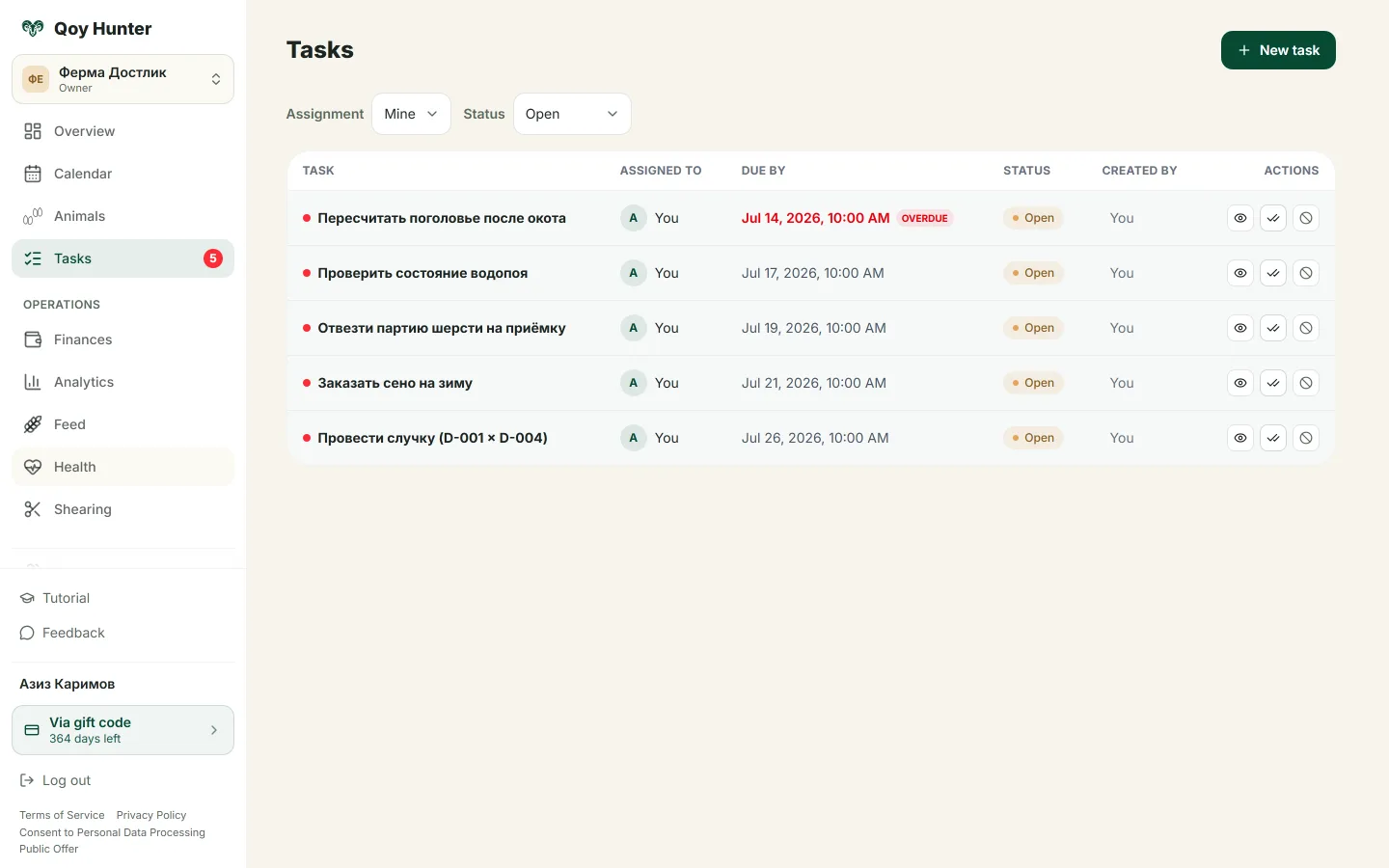
Every farm job in one list — who's responsible, the due date and the status of each task.
- 1
Tap “New task” to hand a job to a worker: a title, a due date and an assignee.
- 2
Filter tasks by assignee — your own jobs or the whole farm team's.
- 3
Track the status: open, completed or cancelled tasks.
- 4
Mark a job done in one tap — you can see at a glance what's already finished on the farm.
The Calendar screen
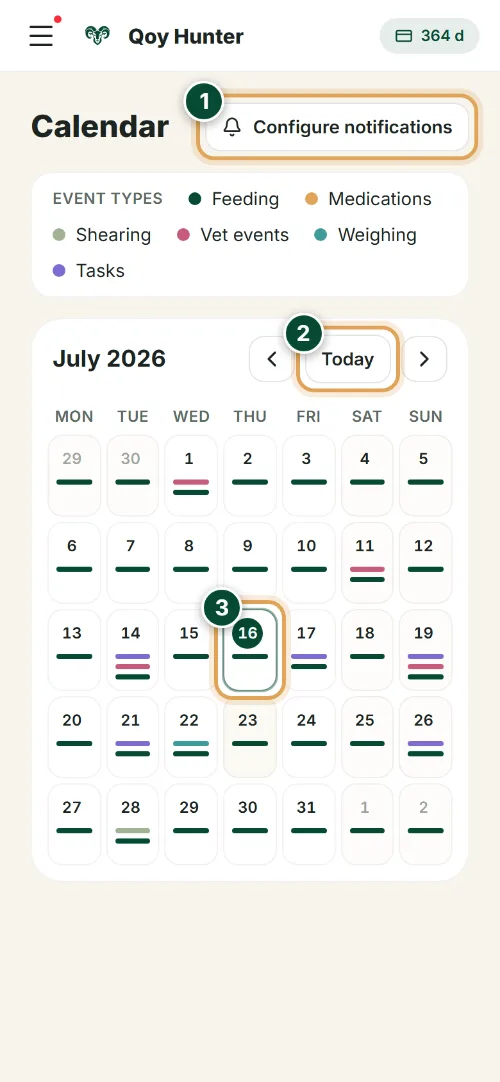
Every farm job a month ahead, day by day: feeding, treatment, shearing, weighing and tasks.
- 1
“Configure notifications” — turn on Telegram reminders about jobs so nothing slips.
- 2
Flip through months with the arrows; “Today” jumps straight back to the current date.
- 3
Tap a day to open its hour-by-hour schedule — every farm event under colour-coded marks.
The numbers mark the key elements on the screen
Every farm job in one calendar.
It's clear who has to do what.
Overdue tasks stand out right away.
Reminders keep you from forgetting anything.
More features
All featuresBring order to your farm
Put your flock into QoyHunter — records, health, finances and reminders in one app.