Health and treatments
Keep a log of vaccinations, treatment and other procedures for every animal. Set the due date for the next treatment and the system reminds you ahead of time. Vet and medicine costs go straight into your finances.
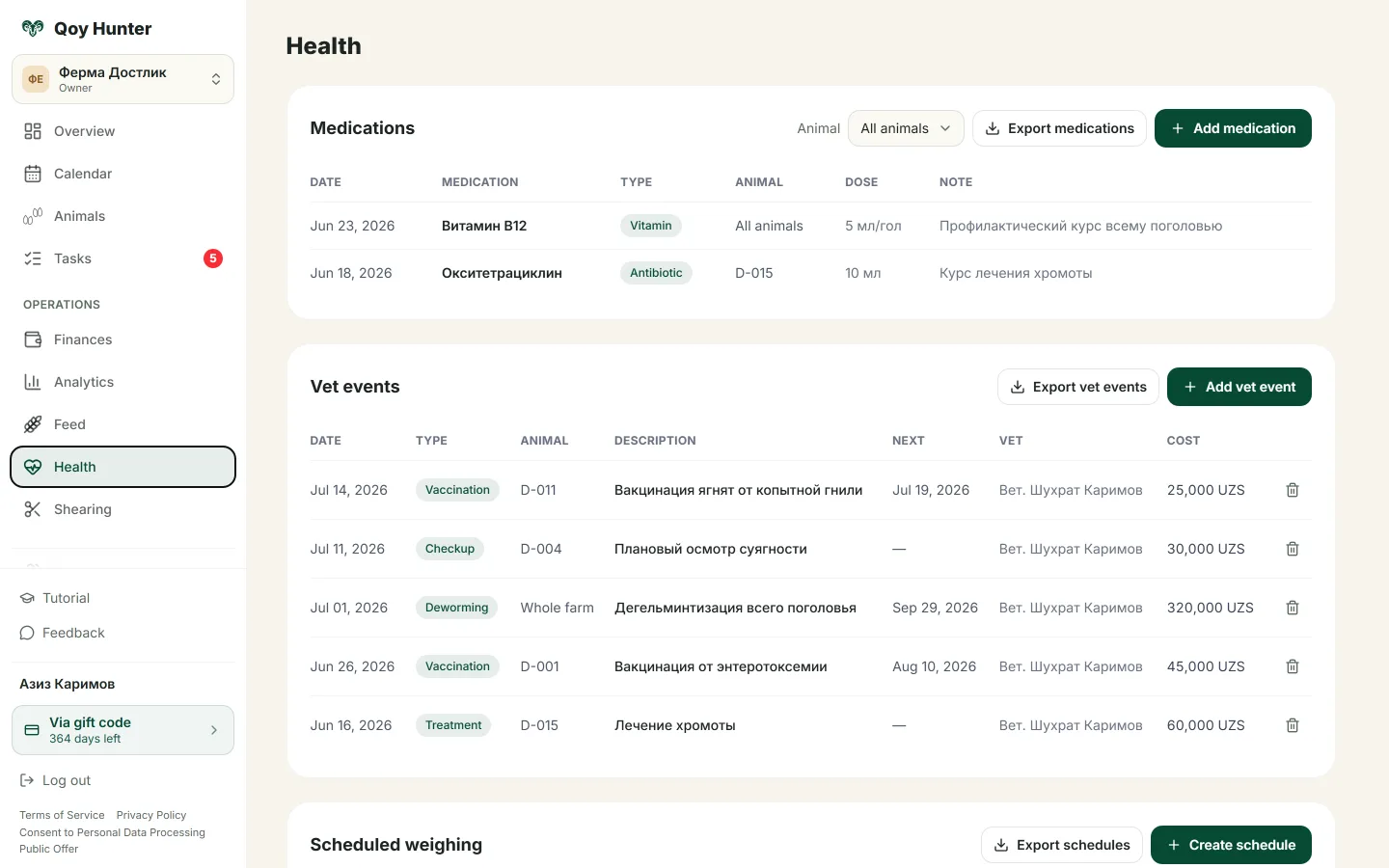
A vet event log with the due date for the next treatment.
How to track health
The Health screen
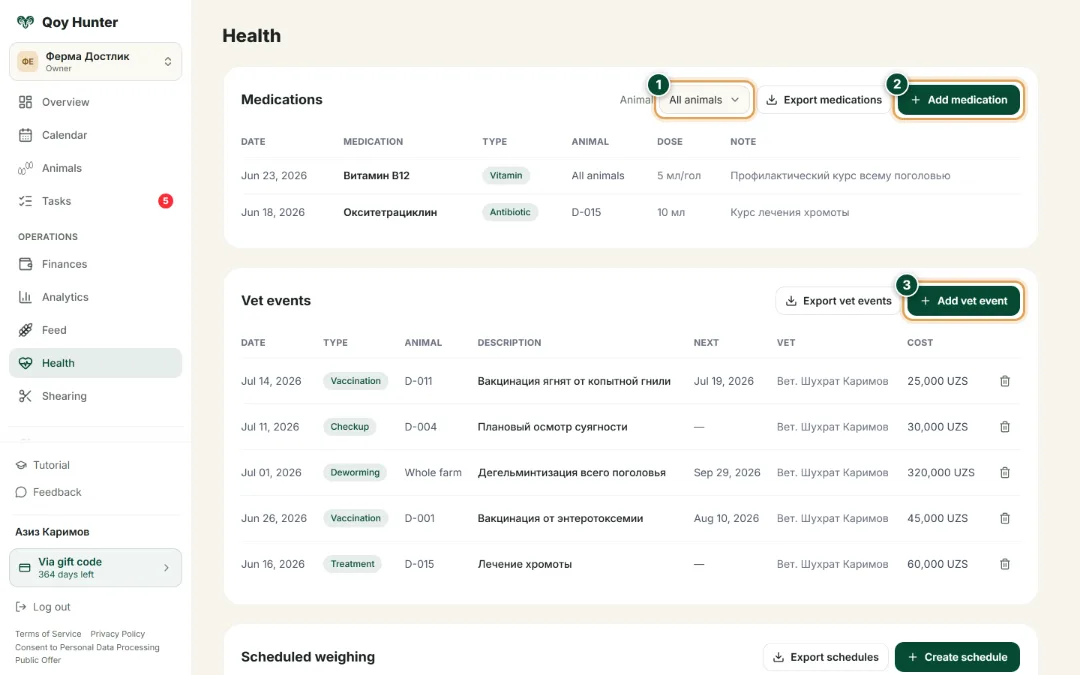
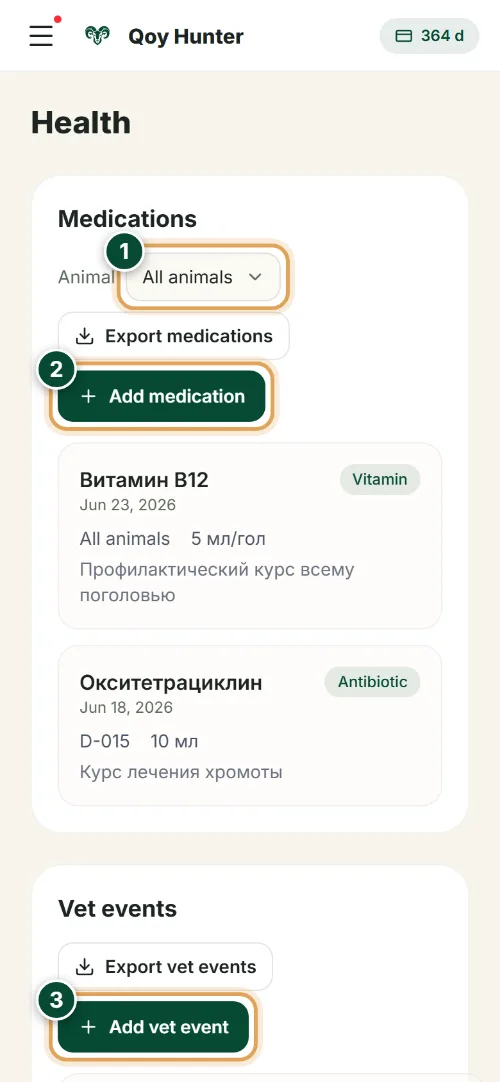
Two logs on one screen — medicines and vet events: the whole history of your flock's vaccinations, treatment and procedures at a glance.
- 1
Pick an animal in the filter to see its whole health history — vaccinations, treatment and vet procedures.
- 2
“Add medication” — log the drug, dose and cost. The expense goes straight into your farm finances.
- 3
“Add vet event” — record a vaccination, treatment, check-up or deworming for one animal or the whole flock.
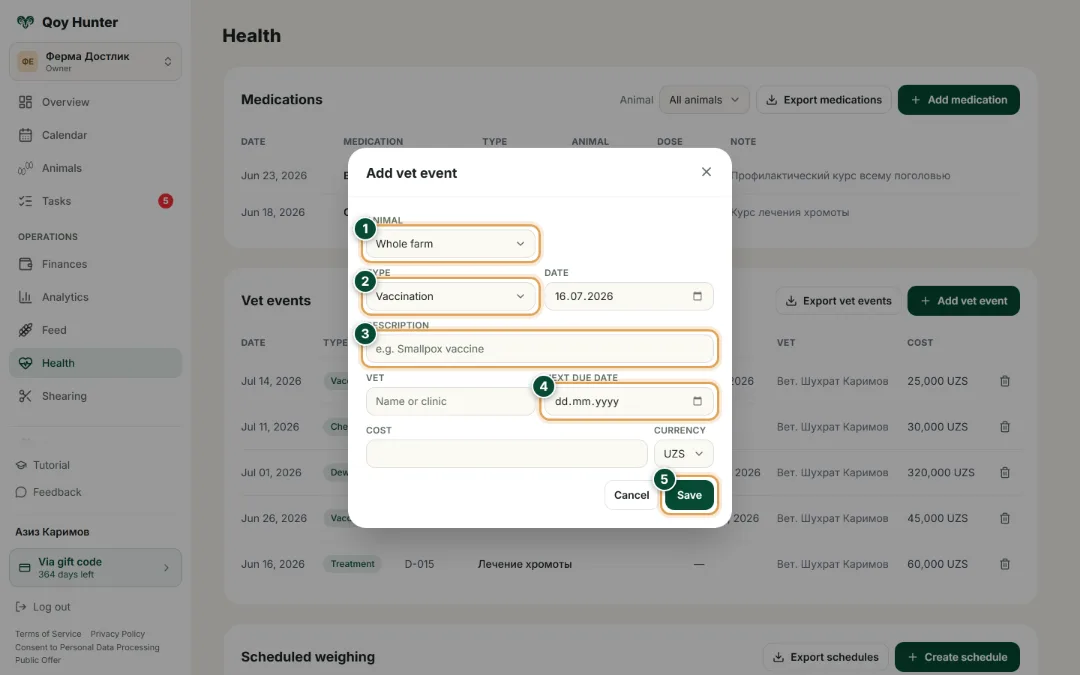
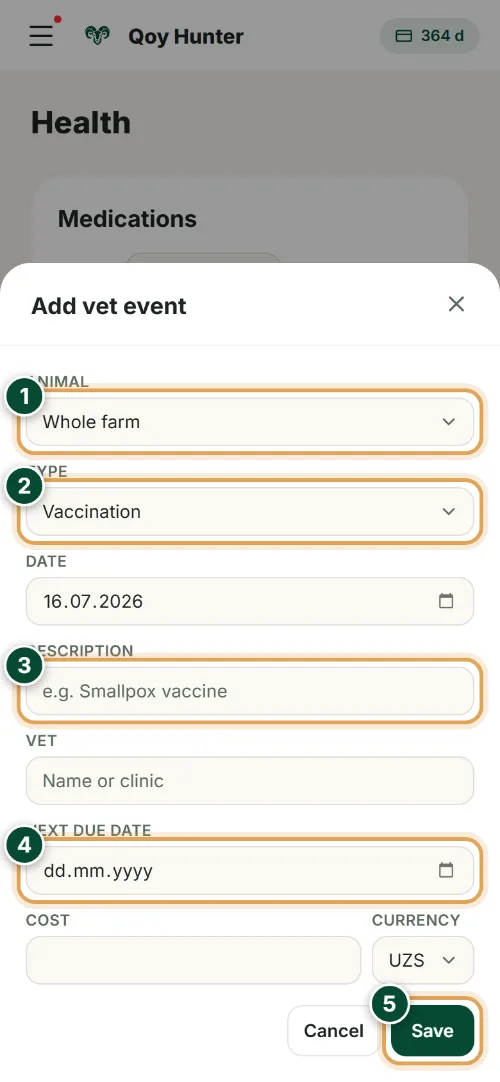
New vet event
Describe the procedure once — the app remembers the next due date and reminds you ahead of time.
- 1
Choose who the event applies to: the whole farm or a specific animal.
- 2
Set the type: vaccination, treatment, check-up or deworming.
- 3
Enter the drug or vaccine — for example, a smallpox vaccine.
- 4
Set the due date for the next treatment — the app reminds you ahead so no vaccination gets missed.
- 5
Tap “Save” — the vet event joins the health log and its cost goes into expenses.
The numbers mark the key elements on the screen
No vaccination or treatment gets forgotten.
An animal's whole health history in one log.
Treatment costs are counted automatically.
Reminders arrive ahead of time.
More features
All featuresBring order to your farm
Put your flock into QoyHunter — records, health, finances and reminders in one app.