Animal card
Open one animal and you see everything about it: passport, weight and height over time, photos, pedigree and money. You can tell at a glance how old the ram is, how much it weighs and how much profit it has brought.
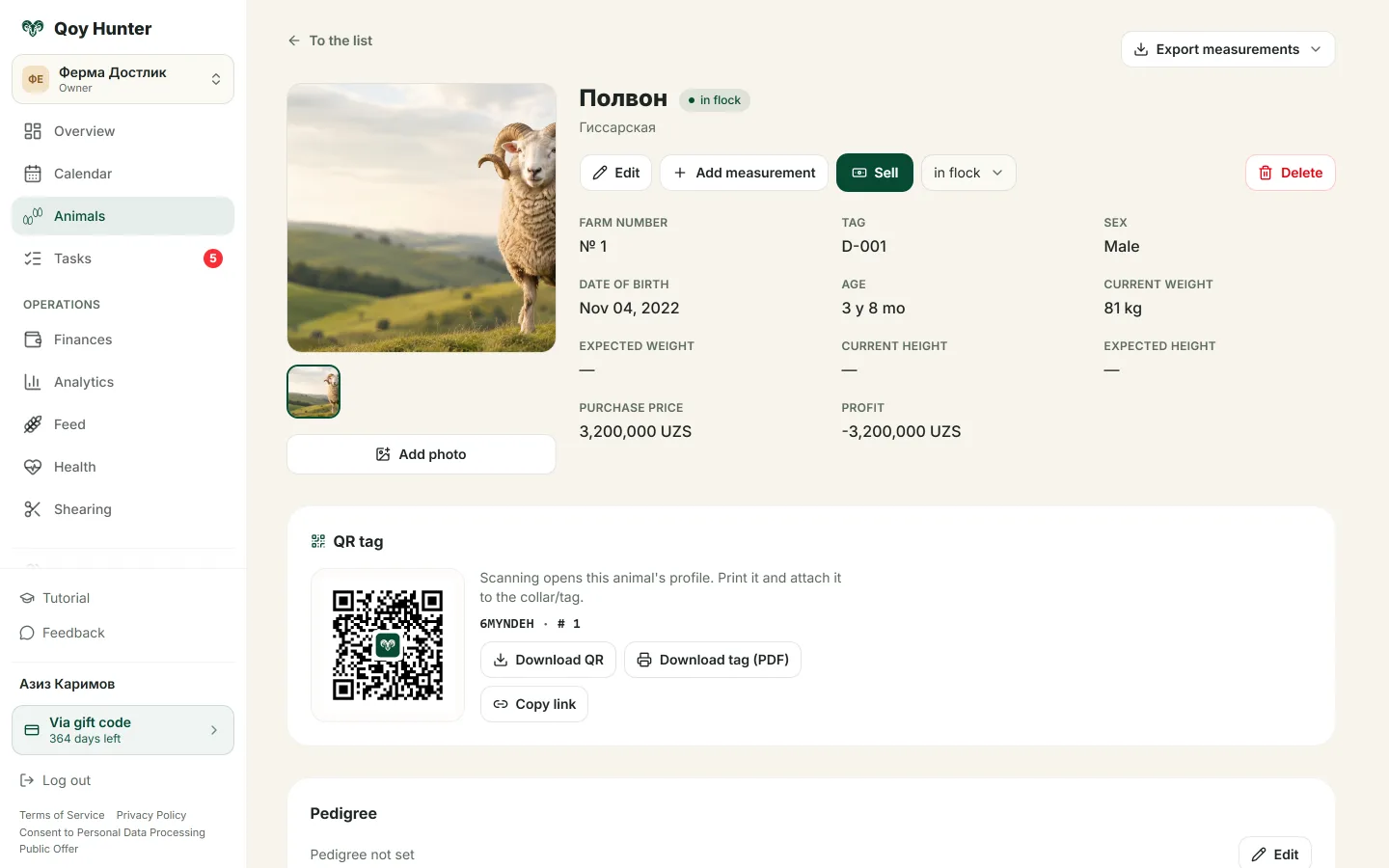
The animal card: passport, photos, pedigree and QR tag.
What's in the card
- 1
Tap an animal in the list to open its card.
- 2
Check the passport: tag, sex, age, current and expected weight, purchase and sale price.
- 3
Add and remove photos in the gallery.
- 4
Download the QR tag or a PDF, and set the father and mother in the pedigree.
- 5
Swipe through the weight and height history charts.
The animal's whole history in one place.
You can see the profit on every ram.
Pedigree and breed makeup are always at hand.
Charts show how the animal is growing.
More features
All featuresBring order to your farm
Put your flock into QoyHunter — records, health, finances and reminders in one app.