Livestock records
Your whole flock in one table. You can see the tag, breed, sex, weight and status of every animal, and find the one you need in a couple of seconds. No more keeping your livestock in a notebook or in your head.
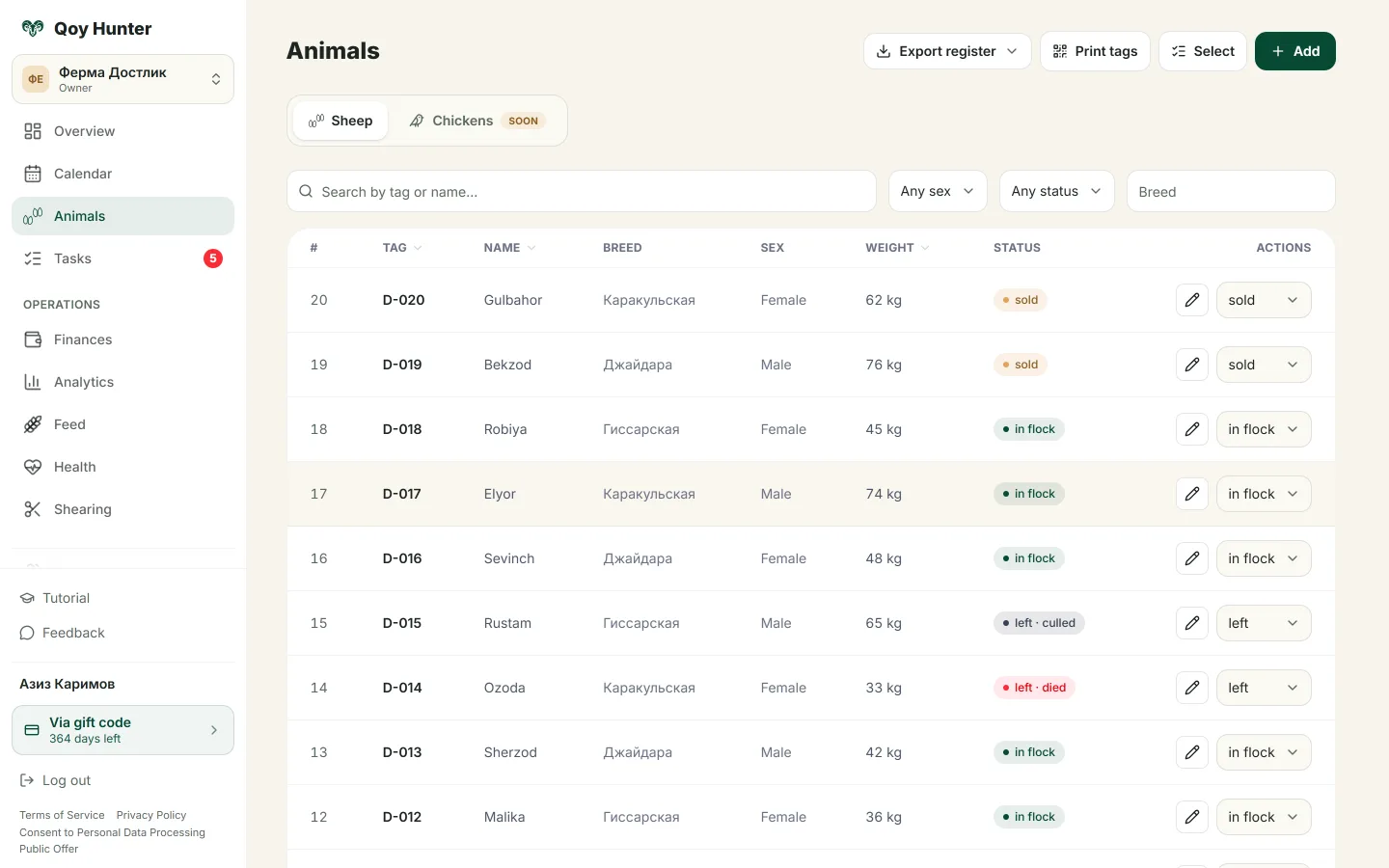
A list of your whole flock with the tag, weight and status of every animal.
How to keep records
- 1
Tap Add and fill in the tag, name, breed, sex, weight and date of birth.
- 2
Attach a photo of the animal so it's easy to recognise in the list.
- 3
Search by tag or name and turn on filters by sex, status and breed.
- 4
Use Select to assign feed, medicine or a vet event to several animals at once.
- 5
Tap a row to open the animal's card.
Your whole flock is under control — nothing gets lost.
You find the animal you need in seconds.
Bulk actions save time with a large flock.
You always see who's in the flock, who's sold and who's left it.
More features
All featuresBring order to your farm
Put your flock into QoyHunter — records, health, finances and reminders in one app.