Marketplace and sales
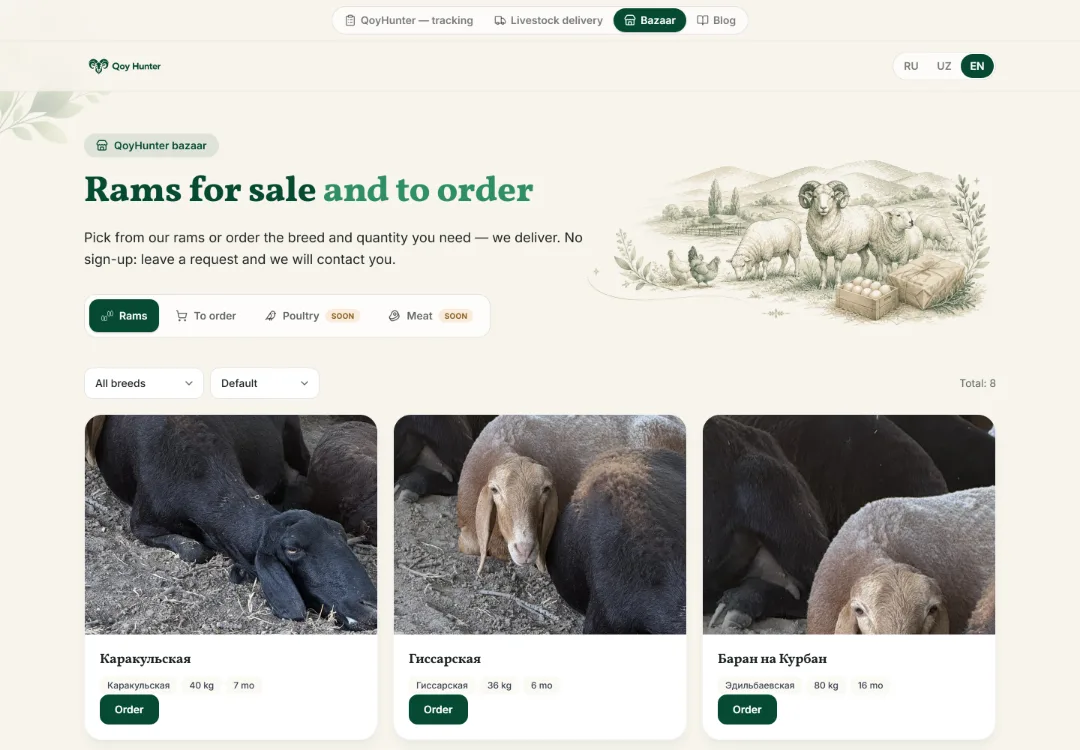
Sell your farm's animals online. Right on a ram's card, tap List on marketplace, set a price and description — the listing goes for review and appears on the public bazar.qoyhunter.com storefront. Buyers see the photo, breed, weight and age, and requests come to you.
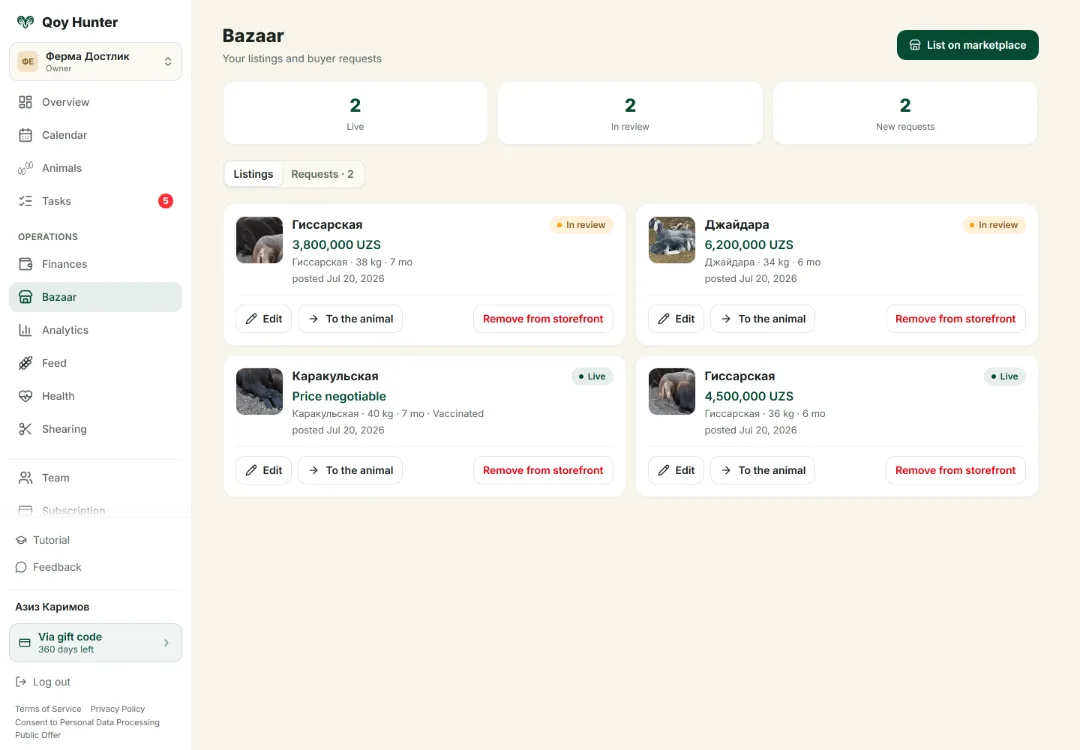
Seller cabinet: your listings, their statuses and buyer requests — all in one place.
How to list an animal
List an animal on the marketplace
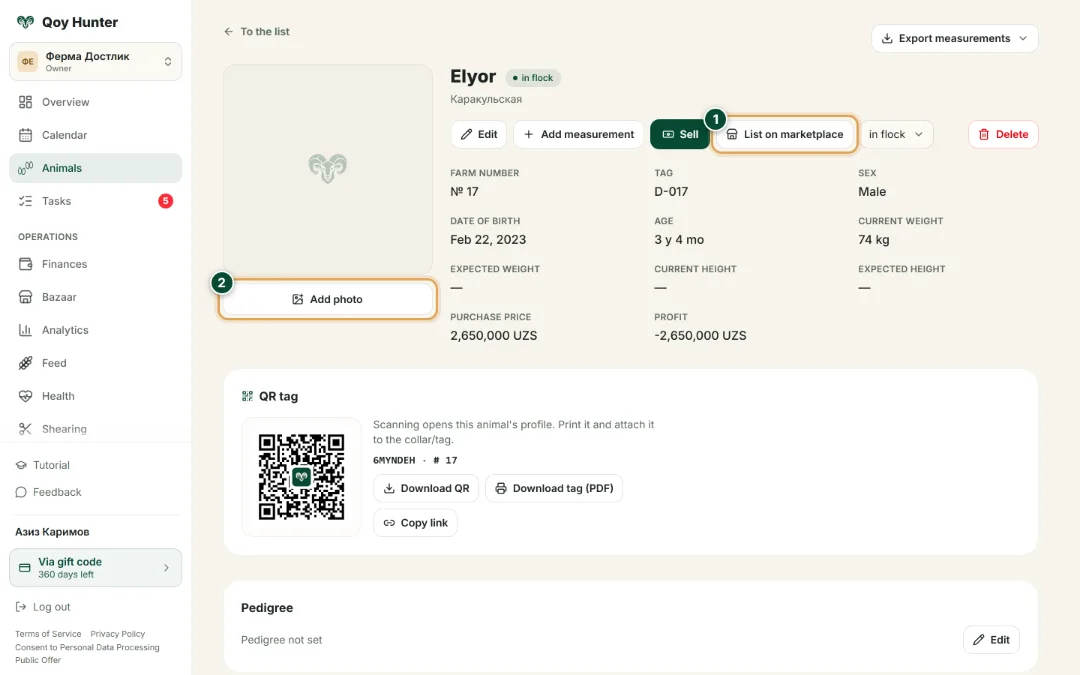
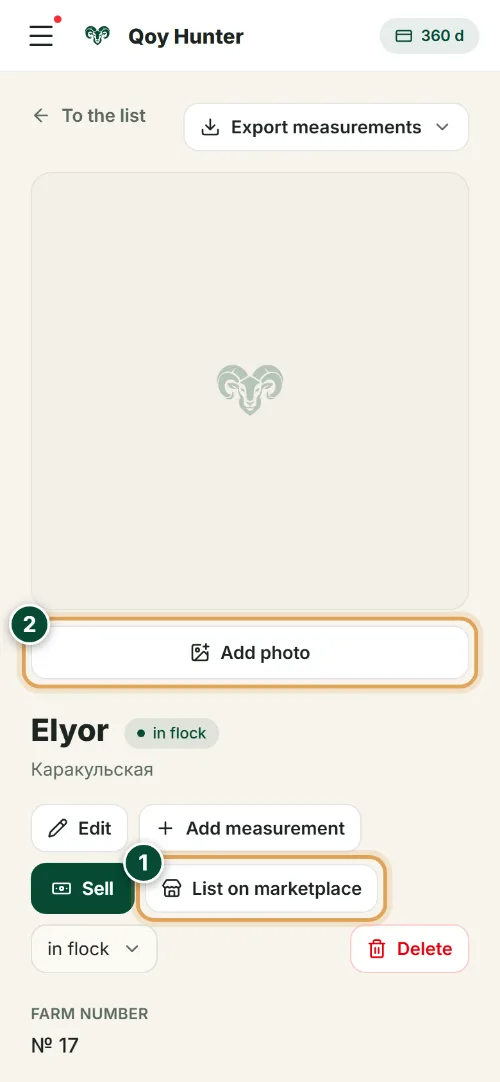
Any animal is sold straight from its card, with the details already filled in. Don't confuse it with the Sell button next to it: that one records a sale in your books, while List on marketplace is what publishes the listing.
- 1
Tap List on marketplace — the listing form opens.
- 2
Tip: add a photo of the animal in advance — buyers open listings with a photo noticeably more often.
The listing form
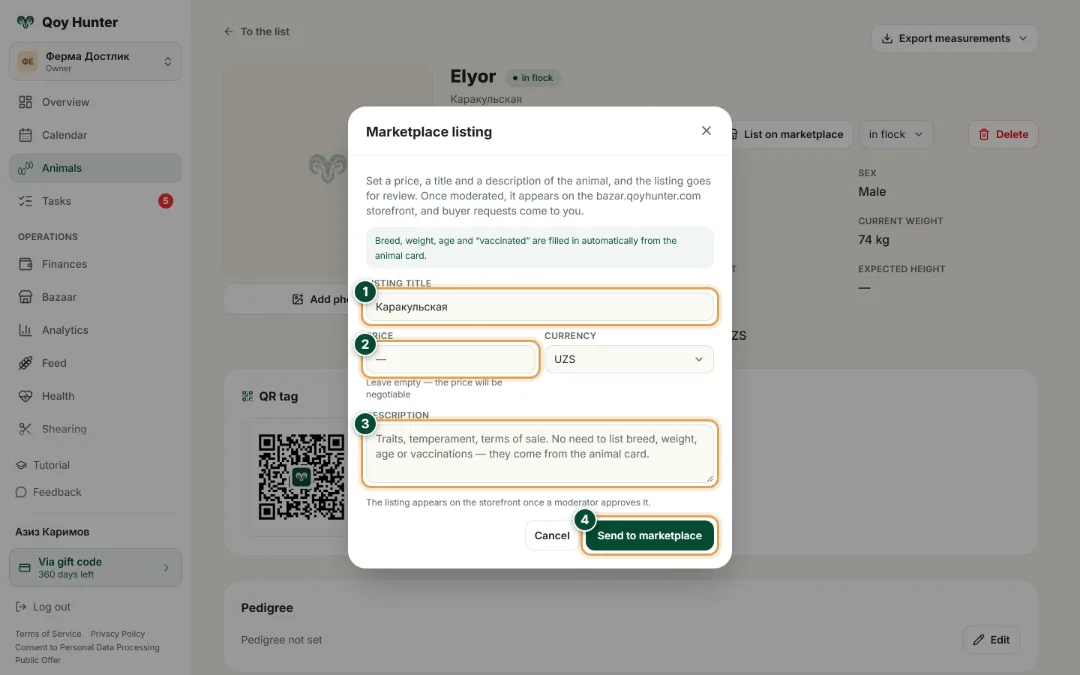
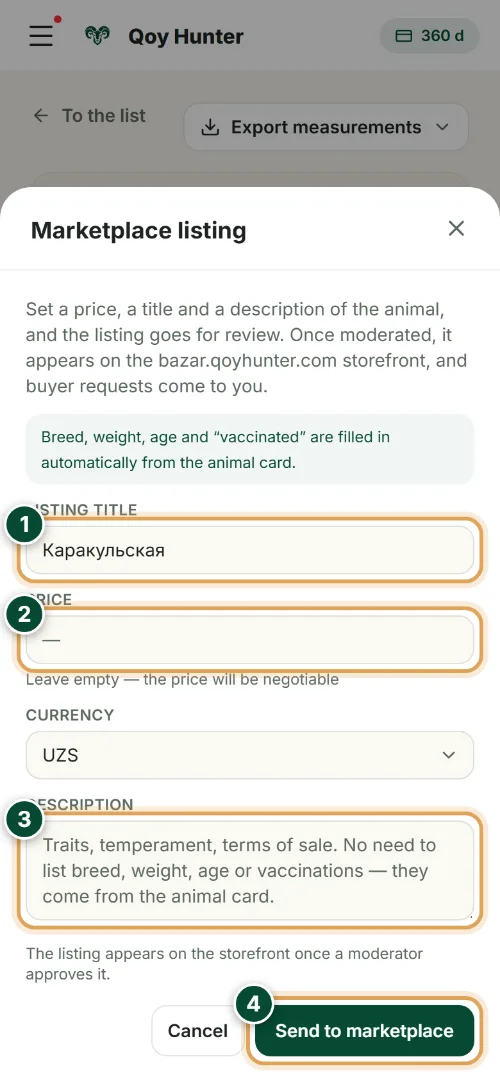
You fill in three fields: title, price and description. The rest comes from the animal card, and the finished listing goes through moderation.
- 1
Refine the title: the breed is already filled in, add the sex and age.
- 2
Price is optional: leave the field empty for a negotiable price, or enter the amount you want.
- 3
Optionally describe temperament, reason for sale and any special traits.
- 4
Tap Send to marketplace. After a moderator's review the listing appears on the bazar.qoyhunter.com storefront.
Seller cabinet: your listings
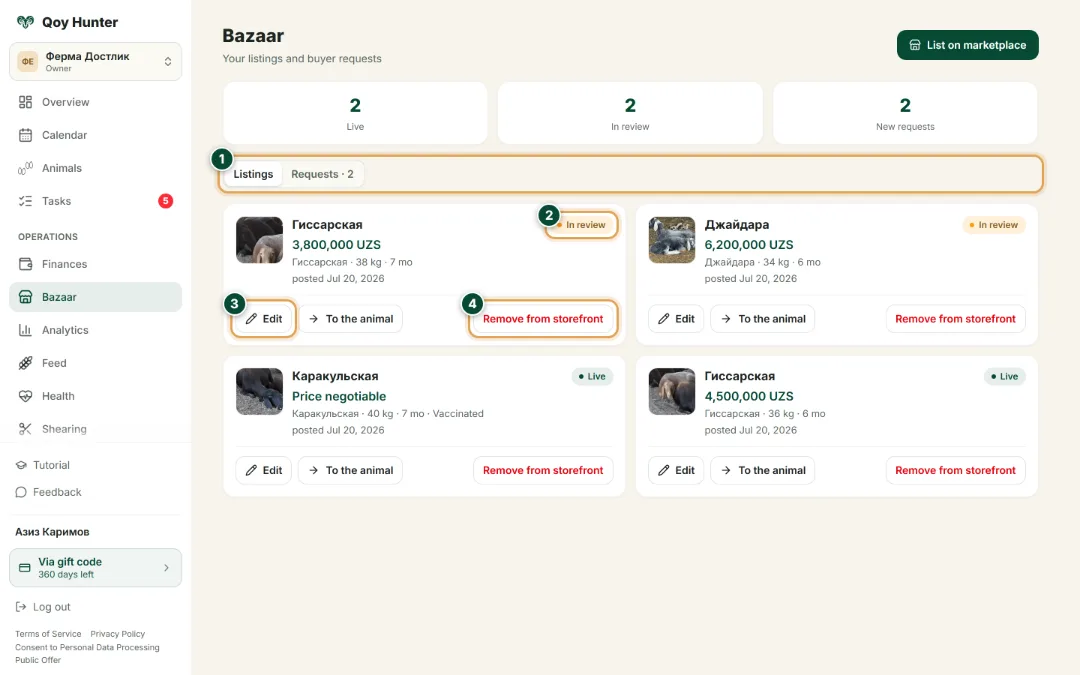
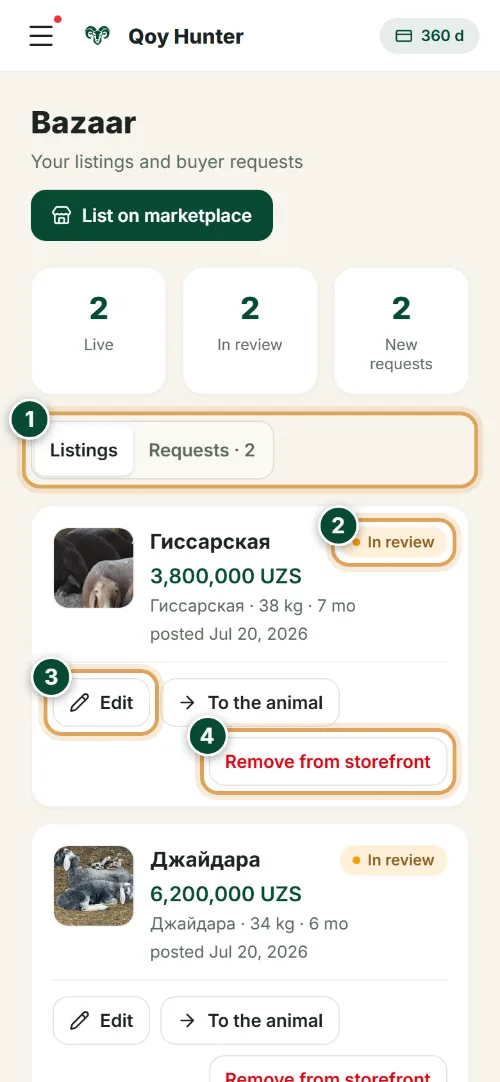
Every listed animal is gathered in the Bazar section: at the top, how many listings are on the storefront and how many await moderation; below, each one with its status. Buyers write in the chat on the storefront itself, and a notification about a new message arrives in the Telegram bot.
- 1
Switch between the Listings and Auctions tabs — the chosen one lives in the address, so you can share the link.
- 2
Listing status: on the storefront, in moderation, or closed. When the animal is sold or leaves, the listing closes itself.
- 3
Edit the title, price and description with the Edit button.
- 4
Take an unneeded listing down yourself — with the Remove from storefront button.
Editing a listing
The title, price and description can be changed any time, without recreating the listing.
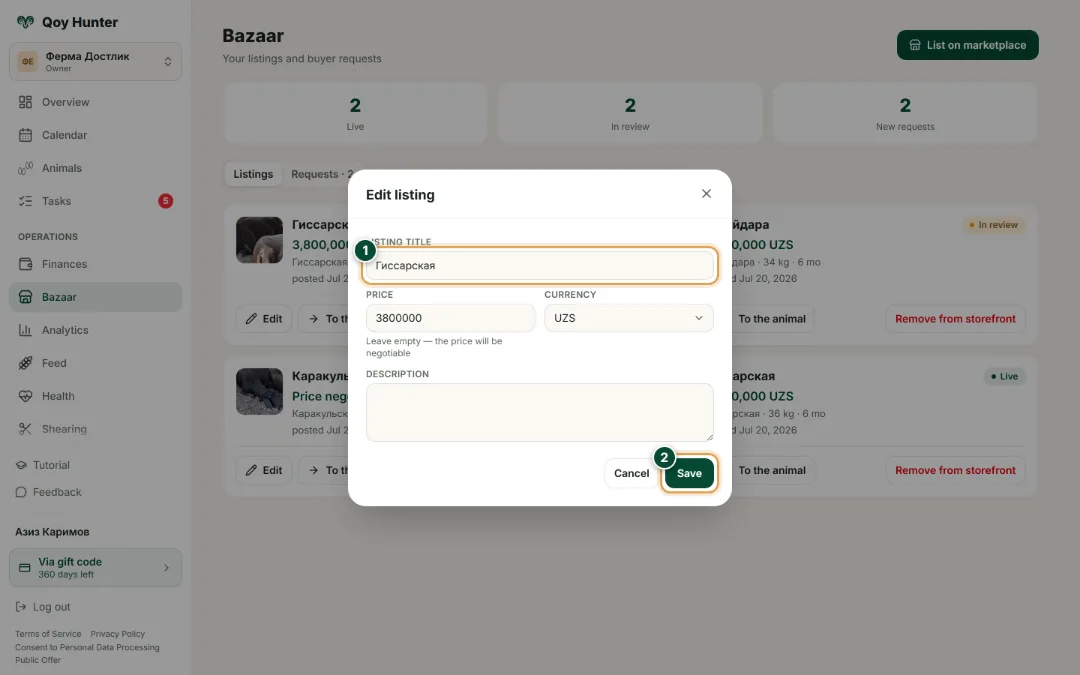
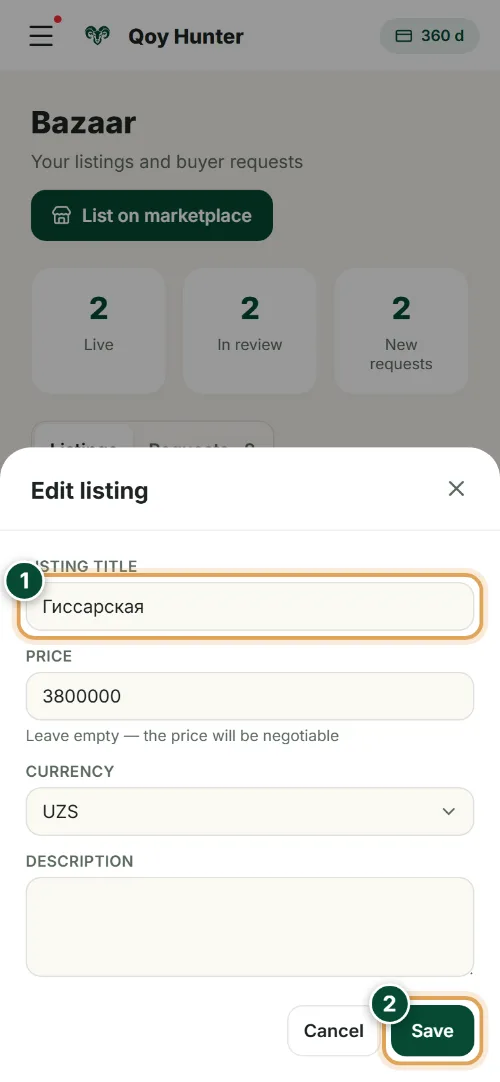
- 1
Edit any field: the title, price or description.
- 2
Save — the storefront listing updates right away.
The numbers mark the key elements on the screen
An animal from your records reaches the storefront in a minute.
No need to describe the ram again — the details are already on its card.
Every listing is reviewed, so the storefront shows only real livestock.
Buyer requests come straight to you.
More features
All featuresBring order to your farm
Put your flock into QoyHunter — records, health, finances and reminders in one app.